
The Night I Realized I Was Not Alone
Have you ever stared at your home network list and seen a device name you didn't recognize? It is a cold, uneasy feeling—like finding an unlocked window in a house you thought was secure. We often treat our Wi-Fi like an invisible utility, but it is actually the front door to your personal life. Let’s stop worrying about "who is on my network" and start building a digital shield that actually works.
My heart started racing. I looked around my quiet living room, suddenly feeling like an intruder was watching me through my own digital front door. I realized that my router, which I had set up months ago, was still running on default settings. I had never bothered to change the name, the password, or the security protocol.
I felt a wave of frustration and embarrassment. I consider myself tech-savvy, yet I had left my home completely wide open to anyone with a signal scanner nearby. That feeling of violation—of knowing that someone, somewhere, could have been peaking at my traffic—changed my entire perspective on home security.
You might think that your home is just a place for casual browsing, but it is actually the hub of your entire digital identity. From your banking passwords to the photos of your family, everything flows through that connection. When you ignore your network security, you are leaving your front door unlocked in a crowded neighborhood.
TL;DR: The Home Network Survival Sheet
-
Change the Admin Login: Never leave your router set to the default username/password.
-
Isolate Smart Devices: Keep your smart bulbs and cameras on a separate "Guest" or "IoT" network.
-
Update Firmware: Check your router settings monthly to ensure you aren't running outdated, vulnerable software.
-
Turn off WPS: This feature is a known security hole—disable it immediately in your router settings.
Strengthening Your Digital Perimeter
Router Security: Default vs. Secure Settings
Securing your network is not as hard as it sounds. You do not need to be a computer engineer to make your connection safe. You just need to follow a few standard practices that act as a high-tech deadbolt for your home.
Turning Your Router into a Fortress
 The router is the gateway to your home. If it is weak, everything behind it is weak. Most people make the mistake of leaving the default admin credentials exactly as they were when they took the device out of the box. This is the first place a hacker looks.
Go into your router settings today and change the admin username and password. Do not use your pet's name or your birthday. Use a long, complex string of characters that has no relation to your personal life. Write it down and keep it somewhere safe, or better yet, use a password manager.
Locking Down Your Wi-Fi Signal
Next, look at the network name, also known as the SSID. Is it still the model number of your router? Change it to something unique that does not identify you, your address, or the specific model of your hardware. A generic name like "BlueSky" is much better than "John-Smith-Netgear-Router."
After that, enable the strongest encryption available in your settings. This is usually labeled as WPA3. If your devices are a bit older, WPA2-AES is the industry standard for a good reason. Never, ever use "WEP" or "WPA" (the old versions) as they are extremely easy to break.
Separating Your Guests and Your Gear
Most modern routers allow you to create a "Guest Network." This is a hidden gem for home security. When friends or family come over, give them the password for the guest network instead of your main one. This isolates their devices—which you don't know the status of—from your main computer and smart home devices.
If one of their phones happens to be infected with malware, it won't be able to "jump" onto your main network and infect your primary computer. This is a simple separation tactic that creates a second layer of defense. It takes about two minutes to set up, but it protects you for a lifetime.
 A Personal Lesson from My Network Setup
I once made the mistake of connecting my smart light bulbs to my primary Wi-Fi network without checking their firmware. I learned the hard way when I read a report about that specific brand having a vulnerability that allowed access to the main network. My realization was simple: treat every single device, no matter how small or "dumb," as a potential weak point. I now keep all my smart home devices on a separate, isolated network segment.
The Power of Firmware Updates
Software updates are not just for your phone or your laptop. Your router has its own operating system, and it needs regular maintenance. Manufacturers often release updates to patch security holes that hackers have discovered. If you aren't updating, you are essentially driving a car with a known defect.
Check your router's administrative page once a month to see if there is a pending firmware update. If your router supports "auto-update," turn it on immediately. This ensures that the manufacturer can patch a vulnerability the moment they find one, without you needing to lift a finger.
Want to see these network security strategies in action? Watch this video to learn exactly how to configure your router settings for maximum protection!
Disabling Features You Don't Use
Routers often come with features that sound convenient but are actually security risks. One of the most famous is WPS (Wi-Fi Protected Setup). This is the button you press on the router to connect a device without entering a password. It sounds great, but it has a documented flaw that makes it very easy for attackers to brute-force their way into your network.
Go into your settings and turn off WPS. Also, turn off "remote management." This feature allows you to access your router settings from outside your home. While it sounds useful, it is a massive hole in your security if someone manages to find your login credentials. Only allow router configuration from inside your local network.
Monitoring for Unwanted Guests
Every now and then, take a look at the "Attached Devices" list in your router's app. You should recognize every single device listed there. If you see a phone, a tablet, or a smart TV that doesn't belong to you, it is time to take action.
If you don't recognize a device, change your Wi-Fi password immediately. This will force every device to disconnect and re-authenticate. If the intruder was connected to your Wi-Fi, they will be kicked off and unable to get back in without the new password. It is a harsh but necessary reset.
Using a Strong Password for the Wi-Fi Itself
 We already talked about the admin password, but the Wi-Fi connection password needs to be equally strong. Think of this as the key to your front door. If you give this key to everyone who visits, you have no idea who has a copy.
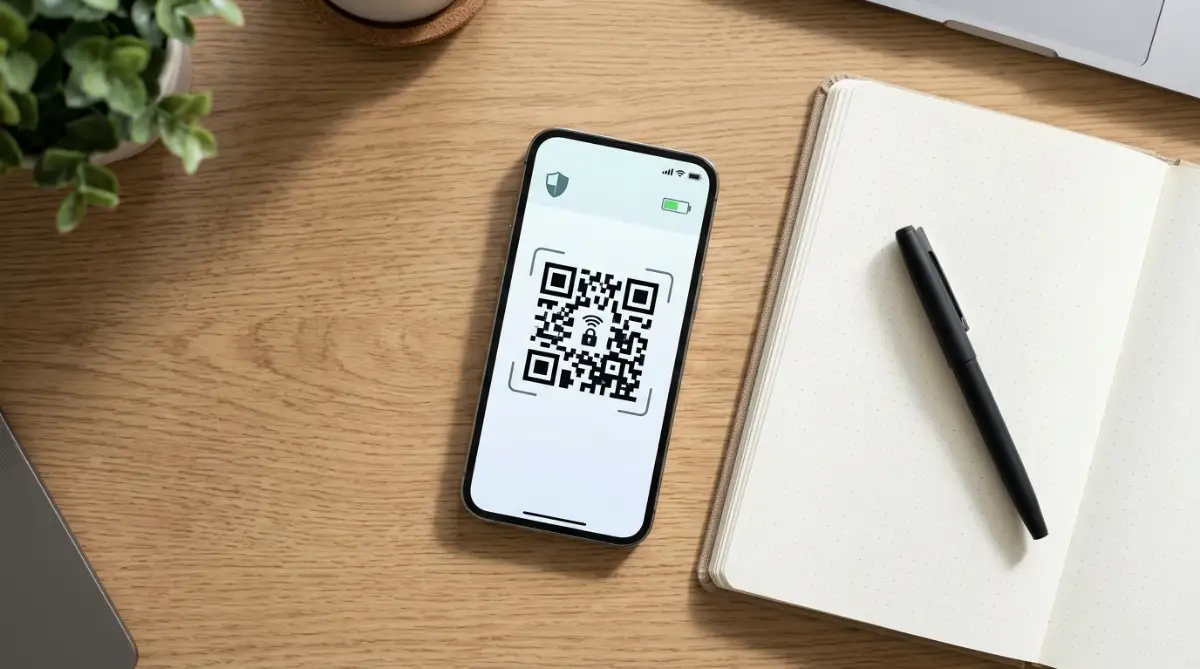
Avoid sharing this password freely. If you must share it, create a QR code for your guest network and keep it in a frame or on a piece of paper. This way, guests can connect without you needing to say the password out loud or type it into their devices. It keeps the "key" much safer.
Hiding Your Network (With a Caveat)
Myth vs. Reality: Hiding your SSID (Network Name)
-
Myth: "If I hide my network name, hackers can't find it."
-
Reality: Anyone with a simple scanner app can still see your network's broadcast signal instantly. Hiding your network is like locking your screen door; it stops a casual glance but doesn't stop someone who really wants to get in. Encryption is your only real lock.
Some experts suggest "hiding" your SSID (network name) so it doesn't broadcast to the public. While this makes your network invisible to a casual scan, it doesn't make it invisible to a determined attacker. It is a form of "security through obscurity."
It is a helpful step, but do not rely on it as your only protection. It is like locking your door but not checking the window; it helps, but it isn't enough on its own. Pair this with strong encryption, and you have a much better setup.
The Importance of Device Isolation
If you have a lot of smart devices—like cameras, speakers, or smart plugs—consider a more advanced setup. Many of these devices are notoriously insecure because they don't get regular security updates. They are the "weak links" in your digital home.
If your router supports VLANs (Virtual Local Area Networks), create a separate network specifically for these IoT (Internet of Things) devices. This keeps them away from your main computer where you do your banking and work. If a camera is compromised, the hacker is stuck in the "camera network" and cannot easily jump to your main computer.
Preparing for the Future of Connectivity
As we add more devices to our homes, our network complexity grows. The basics I have outlined here—strong passwords, updated firmware, and guest networks—are the foundation. They will cover ninety percent of your security needs.
The remaining ten percent comes down to vigilance. Be mindful of what you connect. If a device seems cheap and the manufacturer doesn't have a clear privacy policy, think twice before letting it join your network. Your network is only as secure as the weakest device you allow to connect to it.
Stay curious about your settings. Technology changes, and so do the ways hackers try to get in. But if you maintain these core habits, you will be well ahead of the curve. You will be able to enjoy your connected life without that nagging fear in the back of your mind.
Why This Matters for Your Sanity
Security isn't just about preventing a hack. It is about removing a source of stress. When you know your home is secure, you don't have to worry every time you log into your bank account. You don't have to wonder if a smart device is recording your conversations.
This control gives you confidence. It allows you to use technology as it was meant to be used: as a tool to improve your life, not a threat to your privacy. Take these steps one by one. You don't have to do it all in one afternoon. Start with the password, then the updates, then the guest network.
Small, consistent actions lead to long-term safety. Your home is your sanctuary. Keep the digital doors locked, keep the intruders out, and enjoy the peace of a truly private space. You have the power to protect your digital life, and it starts with your home router.
Final Thoughts: Building a More Secure Digital Home
Understanding how to protect your home network is a good start, but putting that knowledge into practice is what makes the difference. Set aside thirty minutes this weekend to review your router’s security settings. Check the manufacturer’s manual, sign in to the router’s admin page, change any default login credentials, and make sure the firmware is up to date.
These small steps can help reduce security risks and give you greater control over who can access your network. You don't need to be a technical expert to build safer digital habits. Review your settings regularly, keep your devices updated, and pay attention to unfamiliar devices connected to your Wi-Fi. Protecting your digital privacy starts with a few practical changes, and the effort is well worth it.
Going Beyond the Basics: Professional Steps to Network Hardening
If you want to keep your home network safe long-term, you need to think like someone who manages security for a living. Most people set their router up once and then forget about it for years. That "set it and forget it" mindset is the biggest risk to your digital privacy.
To stay safe, you must treat your home network as a living system. It needs attention, maintenance, and regular check-ups. Here are the pro-level steps that move you from "basic user" to "network guardian."
Segmenting Your Devices for Better Isolation
One of the best secrets professionals use is network segmentation. This me