
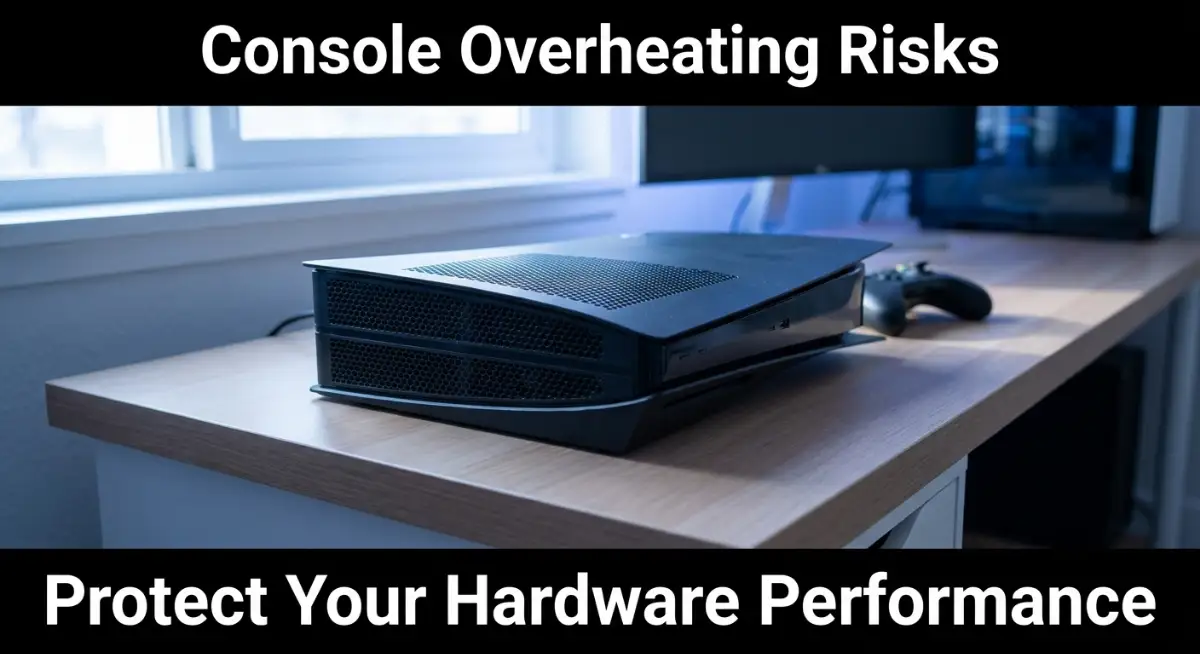
That Terrifying "Jet Engine" Sound
We’ve all heard that dreaded whirring sound—the one that starts soft and turns into a roar just as you're hitting the climax of your game. It’s not just a minor noise; it’s a distress signal from your console. If you keep ignoring it, you aren't just risking a random crash; you’re actively shortening your hardware’s life. Let’s stop the heat buildup before it stops your game for good.
We have all been there. You are in the middle of a marathon gaming session, the room is warm, and your machine is working hard. Suddenly, you hear that whirring noise kick in, louder than it usually is. It is the sound of your hardware fighting to stay alive. It is the sound of heat building up inside a confined space.
That panic is real. You worry about your progress, your saved data, and the massive amount of money you spent on that machine. You start wondering if you have damaged it permanently.
The reality is that your hardware is a marvel of engineering, but it is not immune to the laws of physics. Heat has to go somewhere. If you don't give it a path, it stays trapped. And trapped heat is the number one enemy of every electronic component you own. It isn't just about noise; it's about the lifespan of your console.
If you don't address this, you aren't just looking at occasional stutters or crashes. You are looking at a shortened hardware life, potential data loss, and eventually, a system that simply refuses to start up again. This isn't something that happens to "other people." It happens to everyone who ignores the basic needs of their gear.
Quick Summary: How to Prevent Overheating
- Hard Surfaces Only: Never place your console on carpets or soft fabric.
- Six-Inch Rule: Always keep at least six inches of open space around all sides of your console.
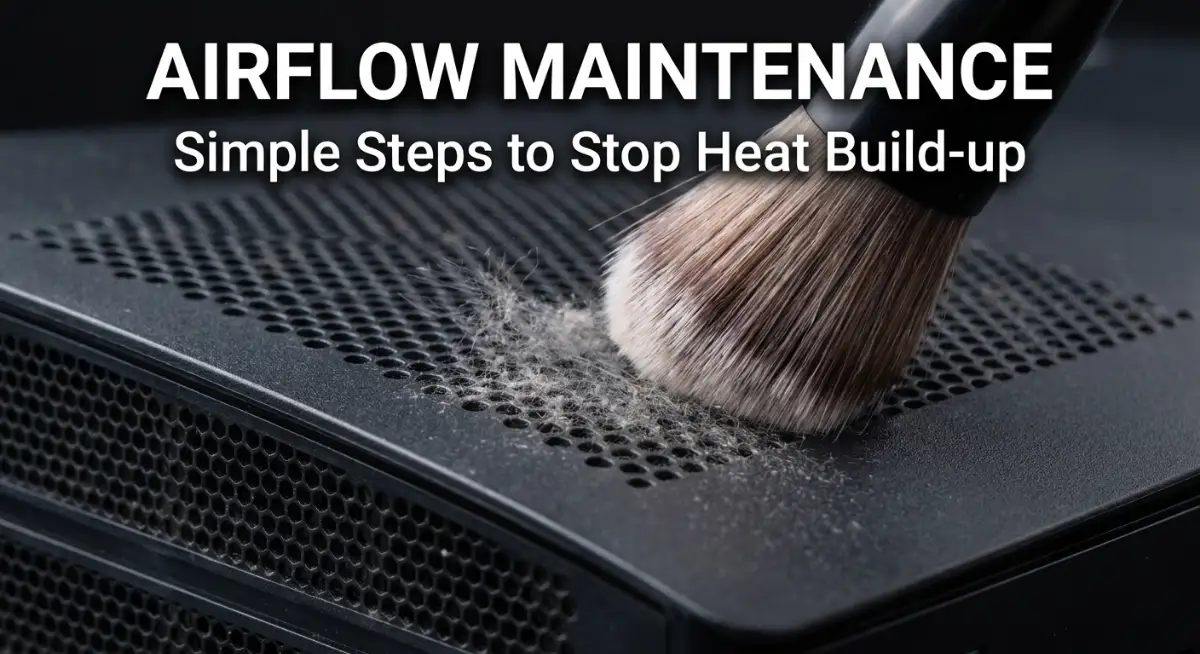
- Clean Regularly: Use compressed air to keep intake and exhaust vents free of dust.
- Monitor the Noise: A fan that roars constantly is a warning; take a break to let the hardware cool down.
The Science of Your Console’s Breath
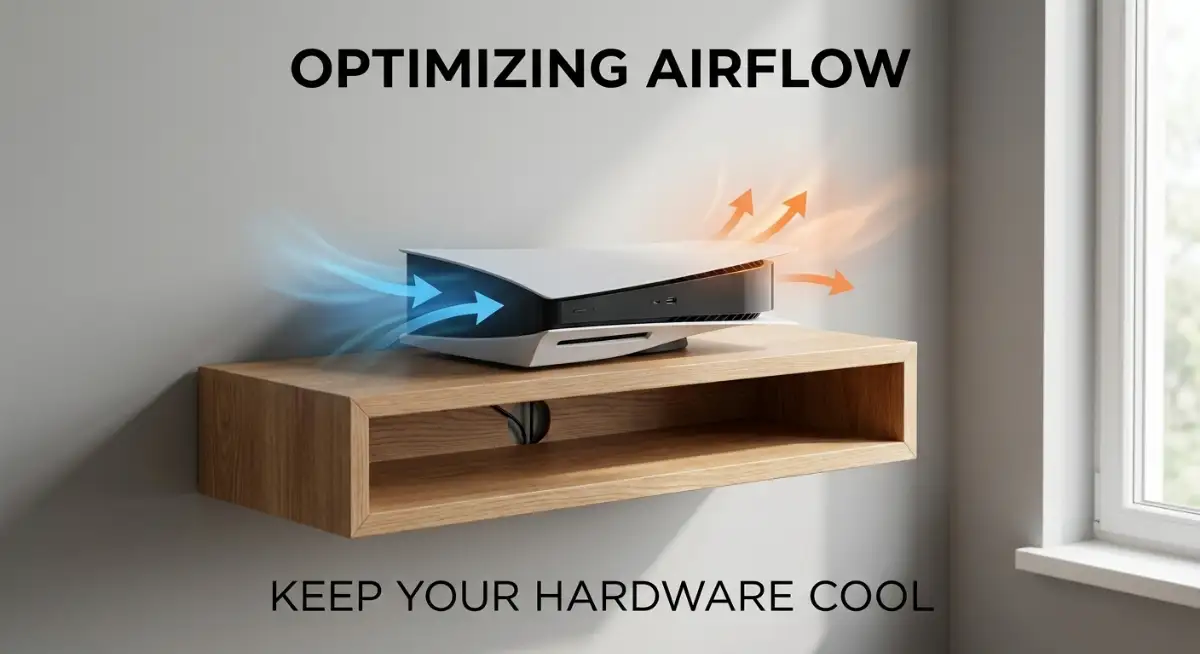
Think of your console like a living thing that needs to breathe. It pulls in cool air, cycles it over the hot components like the processor and graphics chip, and then pushes that warm air out. If you block those airways, you are essentially choking your machine. It has to spin its fans faster and faster just to compensate, which is why you hear that loud noise.
 Finding the Perfect Spot for Airflow
Most of us put our consoles in the first place that looks convenient. Maybe it’s inside a glass cabinet, tucked behind a TV, or sitting on a plush carpet. These are all traps. A console needs space to breathe, and I mean real space.
The area around your console should be open on all sides. If you have it shoved into a corner with the back pushed against a wall, where do you think that hot air goes? It bounces right off the wall and gets sucked back into the intake vents. It is a cycle of heat that gets worse every minute you play.
Give it at least six inches of clearance on every side. If it is in an entertainment unit, make sure the back of the unit is completely open. If you have a solid back panel, consider cutting a hole in it to let that air escape. Your console needs to draw from fresh, cool air, not the warm, stagnant air it just pushed out.
The Problem With Soft Surfaces
Never, ever place a console on a carpet, a rug, or a soft blanket. Carpets are great for walking on, but they are terrible for electronics. They are basically blankets of dust, and they block the intake vents on the bottom of the device. Even worse, they can cause static electricity build-up.
If you have to put your console on the floor, put it on a hard, flat surface. A wooden board, a plastic tray, or even a tile will work fine. Anything that creates a solid gap between the bottom of the console and the floor is better than nothing. Just get it off the fibers.
The Gaming Setup Safety Audit (Quick Checklist)
- Surface Check: Is the console on a hard surface? (Wood/Glass/Tile is great; Carpet/Blanket is a no).
- Clearance Test: Can you fit your hand behind the back vents comfortably? (If no, move it).
- Visibility Check: Is the console tucked inside a closed drawer or cabinet? (Open it up).
- Dust Patrol: Do you see "fuzz" on the vents? (Time to use compressed air).
Understanding Ambient Temperature
It is not just about the console; it is about the room. If your room is hot, your console is already at a disadvantage. If it is eighty degrees in your gaming room, the air being pulled into the console is already hot. It has very little "cooling capacity" left to manage the heat generated by the game.
Keep your gaming area well-ventilated. If you are playing in a small, enclosed room, keep a fan running to circulate the air. You don't need a walk-in freezer, but you do need to keep the room from becoming a sauna. The cooler the room, the easier it is for your hardware to keep its own temperature in check.
Pro Tip: My Realization
For the longest time, I thought that "cooling fans" you plug into a USB port were a magic fix. I bought one and realized it didn't actually help with the internal temperatures at all. I learned that the best fix wasn't an extra gadget, but simply moving my console to an open shelf where it could get proper airflow. Don't waste money on external gimmicks until you have maximized the environment first.
Why Dust Is the Silent Killer
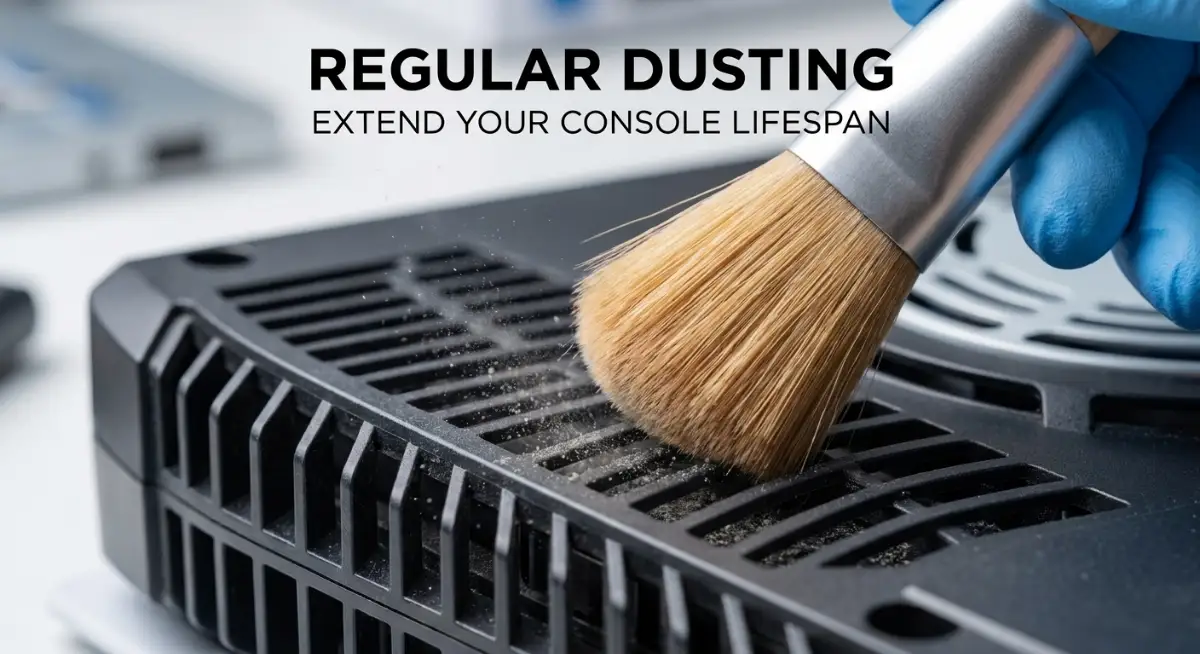
Dust is a major problem for every console. It acts as an insulator, trapping heat inside the case and coating the cooling fins. Over time, that thin layer of dust turns into a thick blanket that stops the fans from effectively pulling heat away from the chips.
You don't need to be an expert to deal with this. Use a can of compressed air once every few months. Spray the vents gently to clear out the build-up. Just make sure the console is powered off and unplugged before you start. Do not use a vacuum cleaner, as it can cause static damage. Stick to compressed air.
 The Role of Humidity
Did you know that humidity affects heat transfer? Air that is highly humid carries heat differently than dry air. More importantly, high humidity can lead to condensation inside your console when it cools down after a session. That moisture can cause corrosion on the internal board.
Keep your gaming area dry. If you live in a place with high humidity, think about using a dehumidifier in the room where you keep your electronics. It protects not just the console, but the controllers and any other accessories you have plugged in.
Recognizing Thermal Throttling
Have you ever noticed your game frame rate drop suddenly during a long session? That is likely thermal throttling. Your console is smart enough to know it is getting too hot, so it slows down the processor to produce less heat.
It is a safety feature, but it is a warning. If your console is throttling, you are right on the edge of a crash. When this happens, stop playing. Give the console a break. Don't push it until it forces a shutdown. A twenty-minute break is better than a broken console.
Do you want to see how to properly clean your console and set up your gaming space for better airflow? Watch this guide to see how the pros do it:
If you want to understand why your console fan gets loud and what it means for your hardware, watch this video:
After watching, you will have a much better idea of how to handle the maintenance yourself. It takes very little time, and it makes a huge difference in the longevity of your machine. You will feel much more confident about your setup.
The Impact of Airflow on Performance
Think of airflow as the invisible support for your gaming experience. When the air is moving correctly, your console runs at its peak. When it isn't, everything suffers.
This comparison shows the divide. One setup is built for performance; the other is built for stress. When you try to ignore airflow, you inevitably end up with a shaky platform that can fail at the worst possible moment.
How to Check Your Console's Health
You don't need fancy tools to know if your console is in trouble. Listen to the fan. If it is roaring while you are just sitting on the menu screen, that is a sign of trouble. If the console feels hot to the touch, that is normal, but it shouldn't be scalding.
Also, watch for the warning signs from the software. Does the game stutter? Do textures take longer to load? These are often the first signs that the system is struggling with heat. Take them seriously. Your console is giving you a heads-up before the real damage happens.
The Importance of Consistency
It is not enough to clear the vents once and forget about it. This is a maintenance habit. Just like changing the oil in your car, you need to check your airflow situation regularly. Make it part of your gaming routine.
Before you start a long session, glance at the vents. Is there dust building up? Is the path to the wall blocked? It takes three seconds, but it saves you hours of potential headaches. Consistency is what keeps your gear running for years.
Protecting Your Internal Components
Heat affects everything. It is not just the fan. It is the thermal paste that keeps the chip cool. It is the capacitors that manage power. It is the disk drive that spins to read your games.
When the internal temperature stays high, these components dry out and crack over time. You are effectively baking your internal components from the inside out. By keeping the exterior cool, you are protecting the integrity of every single tiny part soldered onto that board.
The Gaming Room Layout
If you really care about your console, don't just focus on the console. Look at the room layout. Can you position the desk or the entertainment center so it is not in direct sunlight? Sunlight adds a surprising amount of ambient heat to a device.
Keep your console away from windows. Keep it away from heaters. Keep it away from other heat-generating electronics like powerful audio amplifiers. These seem like small details, but they all add up to the total heat load your console has to fight against every day.
Establishing a "Cool-Down" Routine
Don't just turn off your console and cover it with a cloth immediately. Let it vent. When you finish your session, leave the console on for a minute or two before you power it down completely, or better yet, leave it in a spot where it can radiate that last bit of heat naturally.
If you have been playing an intense game, the hardware is hot. Shutting it down instantly seals that heat inside the case where there is no air movement to cool it off. Giving it a few minutes to dissipate heat is a gentle way to finish a session.
Educating Your Fellow Gamers
If you live with other people, teach them about airflow. Don't let someone stack a stack of games on top of the console. Don't let someone place a cup of water or a blanket near the intake.
Most people don't know that airflow is a factor for consoles. They think they are solid, indestructible boxes. Help them understand that your console is a sensitive piece of technology that needs room to breathe. Everyone in the house should be on the same page.
The Balance Between Aesthetics and Function
I get it—you want your gaming setup to look cool. You want the fancy lights, the custom shelves, and the enclosed cabinets. But never let the look of your setup override the function.
If your shelf is beautiful but chokes your console, it is a bad shelf. You can always find ways to make a setup look great and be breathable. Use open shelving, use risers, or use cable management to keep the air paths clear. Your setup can be a work of art without being a heat trap.
Staying Patient with Your Gear
If you do notice that your console is struggling, don't rush to buy a new one or take it apart yourself if you aren't comfortable. Reach out to the manufacturer or a professional repair shop. They have seen this issue a thousand times.
Sometimes, a professional internal cleaning is worth the investment. They can reach the spots you can't, like the inside of the power supply or the deep recesses of the heatsink. If your console is older, a professional clean can give it a second life.
Creating a Gaming Setup That Lasts
If you want your console to perform reliably for years, start by giving it the right environment. Good maintenance isn't a one-time task; it's an ongoing habit. Place your console on a stable surface, keep its air vents clear, and leave enough space around it for proper airflow. Regularly remove dust from the surrounding area and follow the manufacturer's cleaning recommendations.
A well-maintained setup can help reduce overheating risks and prevent avoidable performance issues. Pay attention to unusual fan noise, repeated crashes, or unexpected shutdowns so you can address potential problems early.
The goal is simple: spend less time worrying about your equipment and more time enjoying your games. With proper ventilation, routine care, and a little attention to warning signs, you can create a comfortable gaming environment that supports reliable performance over the long run.
Action Plan for Tomorrow
- Move Your Console: Give it at least six inches of space. Move it away from walls and enclosed corners.
- Clear the Vents: Take a look at the intake and exhaust vents. If you see dust, use compressed air to clear it out.
- Check the Surface: Is your console on a carpet? Move it to a hard, flat surface immediately.
- Manage the Area: Make sure no cables, blankets, or game cases are blocking the airflow.
- Monitor the Sound: Pay attention to the fan volume the next time you play. If it's silent, you've done a great job.
A Word from the Expert
I know that all this talk about airflow and dust might feel like a chore, especially when you just want to jump into a game. But please remember: you are protecting a piece of equipment that is the center of your entertainment. I have seen so many people lose their progress because they ignored the simple signs of heat buildup, and I don't want that to be you. It takes only a few minutes to set up your space properly, and once you do, you can relax and play for hours without that nagging worry in the back of your mind. Trust your instincts, take care of your gear, and you will be able to enjoy your games for a long, long time.
Common Questions About Console Health
How do I know if my console's fan is failing?
If you hear grinding, clicking, or rattling noises, the fan might be physically damaged. If it stays silent even when the console is very hot, it might not be spinning at all. In both cases, professional repair is recommended.
Can I leave my console on in sleep mode?
Yes, but ensure it is in a well-ventilated area. Even in sleep mode, the console can generate heat, and if it is covered, that heat has nowhere to go. Keep the area around it clear even when you aren't playing.
Why does my console fan get louder in some games?
Demanding games require the processor to work harder, generating more heat. The fan speeds up to remove that extra heat. It’s normal for a console to get louder during intense gameplay, but it shouldn't sound like it is struggling.
Console Health: Normal vs. Warning Signs
|
Behavior |
Is It Normal? |
What Should You Do? |
|---|---|---|
|
Quiet humming during gameplay |
Yes |
No action needed if performance is normal. |
|
Fans become louder during demanding games |
Usually |
Check ventilation and monitor temperatures if possible. |
|
Console feels warm to the touch |
Yes |
Keep vents clear and ensure adequate airflow. |
|
Console shuts down automatically or displays repeated error messages |
No, not if it happens repeatedly |
Check for overheating, blocked vents, or power issues. Seek technical support if the problem persists. |
Is it better to keep my console vertical or horizontal?
Check your console's manual. Some consoles have specific intake vents that are blocked if you place them the "wrong" way. Generally, both are fine as long as you aren't blocking the ventilation ports.
Does playing in short bursts help keep it cool?
It does, but you shouldn't have to limit your playtime. If your console is properly ventilated, it should be able to handle long, multi-hour sessions without overheating. The goal is to reach a state where heat doesn't build up to dangerous levels.
Mastering the Art of Hardware Thermal Management
You have grasped the basic setup requirements, but if you really want to protect your gaming hardware, you need to think like a thermal engineer. Most of us treat our consoles like static objects. We put them on a shelf and forget they are actually working machines performing millions of calculations every second. When you shift your mindset to view your console as a high-performance engine, you start to see cooling as a continuous optimization process rather than a one-time setup.
One secret that many power users employ is the "strategic intake gap." If your console is placed against a wall, it is effectively breathing in its own exhaust. You can solve this by using a simple vertical stand that lifts the console off the surface by even an inch. This small elevation allows cool air to be drawn into the intake vents from the bottom much more efficiently. It sounds basic, but it is often the difference between a fan that runs at high speeds and one that stays nearly silent.
Optimizing Your Environment for Longevity
You also need to be aware of the "thermal inertia" in your room. If you play in a small bedroom with the door shut, the ambient temperature of that room will rise significantly over a three-hour session. As the room gets hotter, the console has less "thermal headroom" to work with. If you find yourself needing to keep the room cool just to keep the console happy, you are treating the symptom, not the cause.
Consider using smart power strips that monitor current usage. By automating your setup, you can ensure that your console is only powered when it needs to be, and you can even link it to smart fans that kick on when you start a gaming session. If you are interested in how automation simplifies your tech life, look at how to bridge the professional skill gap by mastering basic automation tools. It is the same principle of setting a system and letting it run so you don't have to worry about the details.
The Thermal Paste Reality
This is an advanced tip for those who are out of warranty and comfortable with hardware: thermal paste. The substance between your console's processor and its cooling heatsink is meant to transfer heat effectively. Over several years, this paste can dry out, turn into a chalky crust, and lose its ability to conduct heat.
When this happens, no amount of external airflow will save you. You are essentially trying to cool a brick. If you are tech-savvy, replacing this paste with a high-quality compound can drop your internal temperatures by ten degrees or more. It is like giving your console a new lease on life. If you aren't sure about your hardware limits, read about how to stay calm and invest wisely during market volatility to learn how to keep your cool when your hardware feels under pressure.
Managing Hardware Security
We often talk about digital security, but physical security matters too. If your console is placed in a way that blocks airflow to protect it from a fall, you might be trading one risk for another. Just as you follow the home network security guide to keep your digital life safe, you need a plan for physical hardware safety. Use wall mounts that allow for airflow behind the unit. Never sacrifice ventilation for the sake of a cool-looking display.
Research from IEEE Spectrum on modern semiconductor thermal behavior confirms that running hardware at its maximum thermal limit for extended periods causes "electromigration." Essentially, atoms within the chips move over time, eventually leading to permanent hardware failure. It is not just about the game crashing; it is about the physical degradation of the silicon itself. Treat your hardware with respect, and it will serve you for many years.
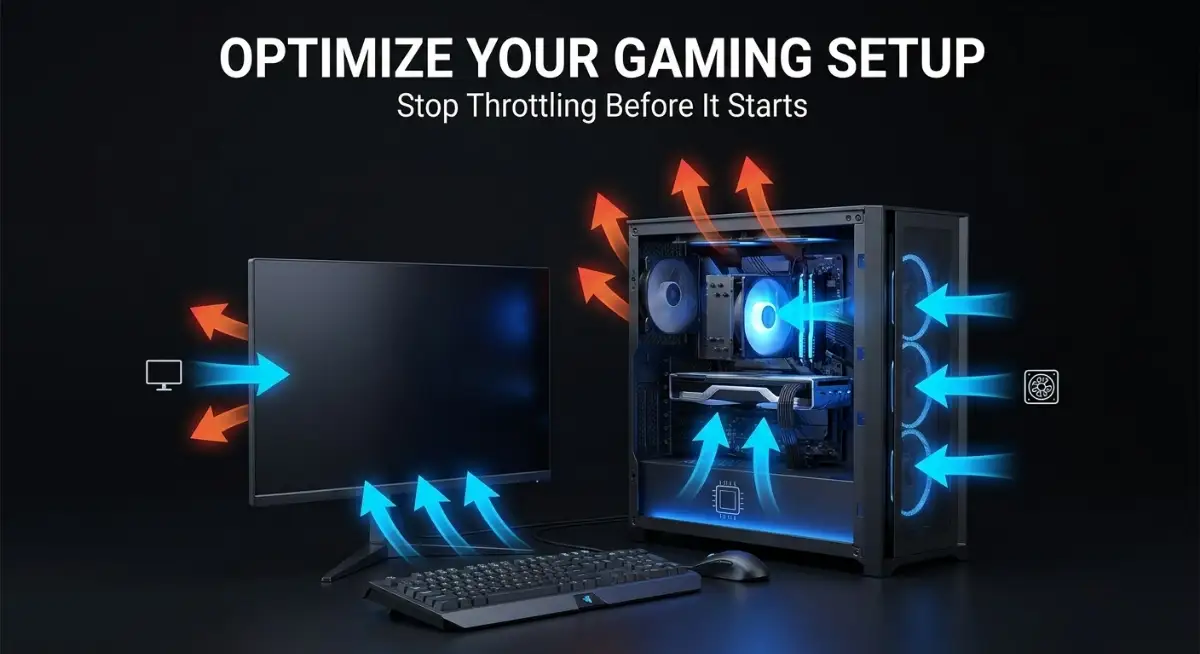
The Hidden Traps That Damage Your Gear
It is frightening how easily we can damage a machine that costs as much as a high-end laptop. Most people make these mistakes because they don't see the damage happening in real-time. It is a slow, quiet process until the moment the screen goes black and the console refuses to turn back on.
The "Aesthetic Enclosure" Trap
We love to make our gaming setups look tidy. We buy those beautiful, enclosed wooden entertainment centers with doors. We push the console inside, close the glass door, and think it looks great. What we have actually done is build a small, wooden oven.
Those glass doors might look like they let air through, but they are incredibly restrictive. Within twenty minutes of gameplay, the air inside that cabinet is hot, humid, and trapped. Your console is effectively choking on its own waste heat. If you love your enclosed cabinet, you have to leave the doors open whenever you are playing.
The Carpet Insulator
I mentioned this before, but it is worth saying again because I see it so often. Putting a console on a thick rug is like putting a winter coat on it. The fibers block the vents, and they trap heat against the bottom of the case.
This isn't just about airflow; it's about dust. Carpets are giant dust magnets. Every time you walk near your console, the carpet releases microscopic dust particles into the air, which the console then sucks directly into its intake vents. You are accelerating the dust build-up by a factor of ten.
The "I'll Fix It Later" Mentality
You hear a strange clicking noise or a fan spinning faster than usual. You think, "I'll deal with it on the weekend." You ignore the warning signs because you don't want to stop your game. This is how small issues become total hardware failures.