

The Clutter in My Digital Closet
We’ve all seen websites that feel like a disorganized basement—you click a link, and suddenly you’re in a different world that doesn’t look or feel like the one you just left. It’s jarring for the user and a nightmare for your search rankings. Before you create another folder or launch a new subdomain, let’s clear up the confusion and build a structure that actually makes sense.
Everything was fighting for attention. The search engines were confused about what my site was actually "about" because my blog posts were mixed in with support tickets and product pages. I was spending hours trying to fix broken links and redesigning the menu just to make it look semi-organized. My users were dropping off because they couldn't find what they needed. It was a digital traffic jam of my own making.
Myth vs. Reality: Domain Architecture
|
Myth |
Reality |
|---|---|
|
“Subdomains always hurt SEO.” |
Subdomains do not automatically harm SEO. However, search engines may evaluate content on subdomains separately, so rankings and authority may not transfer in the way you expect. |
|
“Folders are only for blogs.” |
Folders can organize many types of content, including product pages, service pages, and resources. A logical structure helps users and search engines navigate your website. |
|
“Google prefers subdomains.” |
Google does not generally favor subdomains over subdirectories. The best choice depends on your website's needs, content organization, and technical setup. |
The stress of watching my analytics dip, combined with the constant struggle of "where should this page go," was draining. I felt like I was constantly patching holes in a sinking ship.
You might be in this exact spot right now. You have content growing, your audience is expanding, and suddenly your simple little website feels like it’s bursting at the seams. You know you need to change something, but the technical terms like "DNS," "subdomains," and "subdirectories" sound like a foreign language. It is frustrating to feel like you need a degree in computer science just to organize a blog.
But here is the good news: site structure is not about coding. It is about logic. Once you understand the simple rules of how we organize information, the path forward becomes clear. You don't have to keep struggling with a cluttered domain. You can build a system that makes sense for you and for the people who visit your site every day.
### Quick Summary: Structure Your Domain Like a Pro
- Folders are for Growth: Keep closely related content in subdirectories to boost your main site's SEO.
- Subdomains are for Separation: Use them only when you need a different technical platform, language, or distinct service.
- Stay Consistent: Your branding and design should feel like one house, no matter how many "rooms" (subdomains) you add.
- Consistency Wins: Keep your navigation simple and clear so users never feel "lost."
Mapping Out Your Domain Architecture
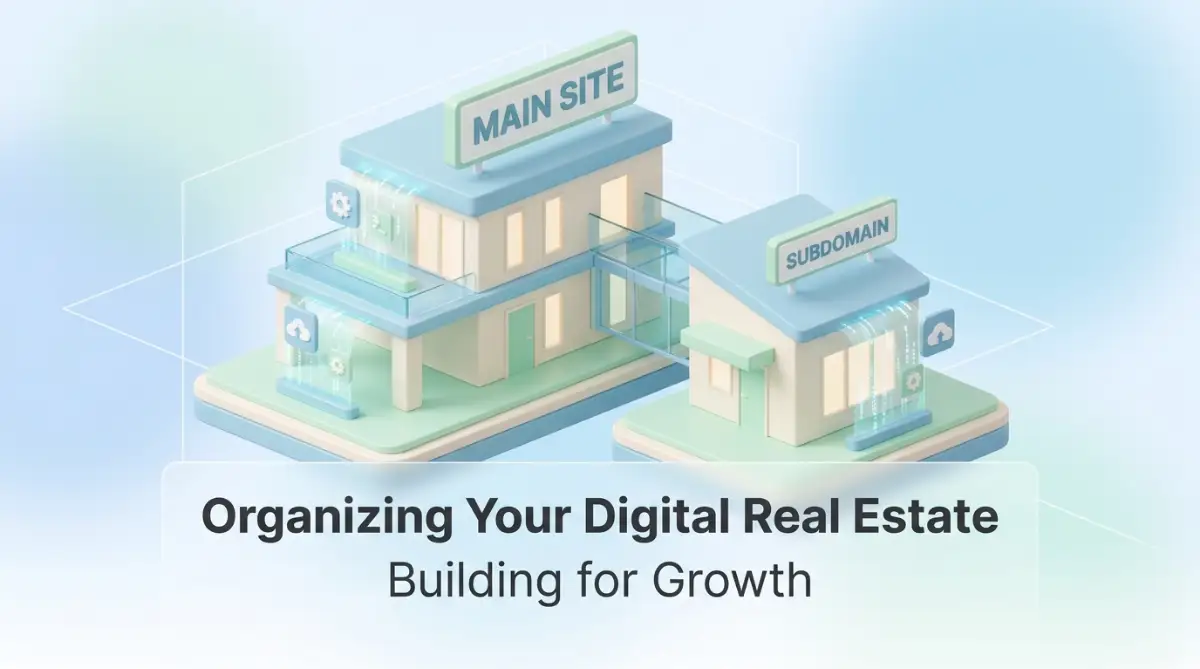
Think of your website as a physical office building. If you run a small business, you might start with just one office room. Everything happens in that room. You do your sales, your customer support, and your storage in one space. That is how most websites start.
As you grow, you need more space. You have two choices. You can either knock down a wall and build an extension (this is your subdirectory, like yoursite.com/blog) or you can rent the suite next door (this is your subdomain, like blog.yoursite.com). Both get you more space, but they function very differently.

Understanding the Subdomain Concept
A subdomain is essentially a child of your main domain. It acts as an independent entity under your umbrella. When a browser visits a subdomain, it treats it as a separate section of your web presence. It’s like having a dedicated department with its own entrance.
This separation is powerful. It allows you to use different server configurations or even a completely different website platform for that specific section. If your main site is built on one framework, but your help portal needs to be built on another, a subdomain lets you bridge that gap without breaking your main site’s foundation.
When Does a Separate Subdomain Make Sense?
A subdomain can be a good choice when a section of your website serves a different purpose from your main site. Ask yourself: Does this section need its own design, functionality, or user experience? For example, a dedicated help center, customer portal, or web application may work better on a subdomain because it operates almost like a separate service while remaining connected to your brand.
Subdomains can also help organize content for different regional audiences. If you serve customers in multiple countries with different languages, product offerings, or regional requirements, separate subdomains may make those experiences easier to manage. However, subdomains are not automatically better for international SEO. Choose a structure that fits your content, technical resources, and long-term goals without creating unnecessary complexity.
The Logic of the Extension
If the content is closely related to your main product—like a blog, a gallery, or your primary service pages—then a subdirectory is usually the better choice. It keeps everything under one roof. It helps your SEO because all your authority stays in one place. Your "wing" helps support the rest of the house.
If you are just organizing content, don't overcomplicate it with subdomains. Stick to folders. It is easier to maintain, easier to link between, and generally better for keeping your search engine authority concentrated on your primary brand. Only "rent the suite next door" if you really need the extra independence.
Pro Tip: My Realization
I once moved my blog to a subdomain because I thought it would look "pro." I was wrong. My SEO traffic tanked because I basically cut my blog off from the rest of my site’s strength. I learned that you should only use a subdomain if the section needs to be functionally independent. If you want the content to boost your main site’s rankings, keep it in a subdirectory. That mistake cost me months of work to fix, and now I only use subdomains when there is a real business need for technical separation.
Analyzing the Impact on Search Rankings
Search engines are smart, but they are also creatures of habit. They love structure. When they crawl your site, they are building a map. If you use subdomains for everything, you are basically telling the search engine to treat every section as a separate, unrelated house.
This means the "trust" or "authority" you build on your main site doesn't automatically flow to your subdomains. but it can be a disadvantage if you are just trying to build a big, cohesive site.

The Authority Flow Dilemma
When you have a strong main site, you want your new pages to inherit that strength. That’s why folders (subdirectories) are usually the SEO winner for content marketing. When you publish a new article in yoursite.com/blog/topic, that page inherits the strength of your main domain.
If you publish that same article on blog.yoursite.com/topic, it starts from scratch. It is a new entity. You have to work harder to get it to rank. If you aren't prepared to put in the extra marketing effort for that subdomain, you might be setting yourself up for an uphill battle.
Do you want to see how to organize your site structure visually? Watch this guide on managing domain paths and hierarchy:
This video walks you through the simple logic of organizing your site for both users and search engines:
After watching, you will have a much clearer picture of how to structure your menu. It stops the guessing game and gives you a concrete plan. You will feel so much more confident when you start moving things around.
The Technical Separation Advantage
Sometimes, technical needs outweigh SEO concerns. This is where subdomains really shine. Let’s say you are running an e-commerce store on a platform like Shopify, but you want your blog to be on WordPress.
You can set up your store on the main domain and put your WordPress blog on a subdomain. This allows you to get the best of both worlds. You get the powerful e-commerce tools of your shop and the content management flexibility of WordPress. You don't have to force one platform to do a job it wasn't designed for.
Regional and Language Logic
If your business has a large international footprint, subdomains are your best friend. Imagine you are selling products in both the US and Japan. The US site has specific shipping policies, currency, and product ranges. The Japanese site is completely different.
Putting these on us.yoursite.com and jp.yoursite.com is a clean, logical way to handle this. It makes it easy for you to manage the two sites independently. You don't have to deal with the technical nightmare of trying to serve two different customer bases from the same folder structure.
App Portals and Tools
Do you have a web application? Maybe a customer dashboard or a tool that users log into? That belongs on a subdomain like app.yoursite.com or portal.yoursite.com. These sections are functional, not informational. They don't need to compete for search traffic with your main site.
They serve a specific audience: your existing customers. By keeping them separate, you keep your main site clean. Your main site is for attracting new visitors; your dashboard is for servicing existing ones. Keep them in their distinct areas, and your users will thank you for the clarity.
Maintaining Consistency in Design
One trap people fall into is making their subdomain look like a totally different brand. Even if it is a separate section, it should feel like your site. Use the same fonts, the same colors, and the same logo.
If a user clicks a link and suddenly feels like they have entered a different website entirely, they will panic. They will wonder if they clicked a malicious link. Keep the "skin" of the site consistent. You want the subdomain to feel like a room in the same house, not a store in a different city.
Managing Navigation Menus
When you use subdomains, the navigation bar is your best tool. You should have links in your header that point to your subdomains, and links on your subdomains that point back to your main site. This creates a bridge.
It makes the user experience seamless. They might not even realize they have switched from a subdomain to the main site. That is the goal. You want the transition to be invisible. If the user has to stop and think about where they are, you have failed the design test.
A Balanced Approach to Domain Strategy
Don't feel like you have to choose one and stick with it forever. You can mix and match. You might use subdirectories for your core content to boost SEO, while using a subdomain for your support portal or your regional language sites.
That is perfectly acceptable. In fact, that is how most large platforms do it. They don't pick one structure; they pick the structure that best fits the specific goal of that section of the site.
The Decision Checklist
Before you set up a new domain structure, ask these four questions:
- Is this content a distinct product or service? (Yes = Subdomain)
- Does this content need to share SEO strength with my main site? (Yes = Subdirectory)
- Do I need a different technical setup for this section? (Yes = Subdomain)
- Is this a different language or region? (Yes = Subdomain)
If you follow that logic, you will almost never make a bad structural decision. It takes the emotion out of it and turns it into a clear, business-driven choice.
Quick Decision Matrix: Folder vs. Subdomain
- Need unified branding? -> Use a Subdirectory (Folder).
- Targeting a new region/language? -> Use a Subdomain.
- Building a technical portal/app? -> Use a Subdomain.
- Boosting your main site's SEO? -> Use a Subdirectory (Folder).
Preparing for Growth
Think about where your business will be in three or five years. If you plan to add more services or enter new markets, build your structure today to support that. If you start with a messy structure, it gets harder to fix as you grow.
Setting up a clean domain strategy now is like laying a good foundation for a house. You don't see it when you are sitting in the living room, but the house stays standing because the foundation is sound. Do the work today to make your digital life easier tomorrow.
A Word from the Expert
I know this might feel like a lot of "back-end" work, but please remember: you are building a digital asset. Every folder, every link, and every structure choice you make is part of how your business presents itself to the world. Don't rush this. Take the time to map it out. I have seen so many people scramble to fix bad structures later, and I don't want that for you. You have a vision for your platform, and a sound structure will help you bring that vision to life. Be patient, be logical, and keep building. You are doing the right thing by thinking about this early.
Fine-Tuning Your Domain Architecture for Scalability
You have the roadmap, but the real work happens in the execution. Many site owners view DNS management as a one-time setup, but it is actually a living system. If you want your platform to grow without hitting walls, you need to manage your domain records with the same care you give your actual website files.
One pro-level secret is the use of wildcard DNS records if you plan to launch many subdomains. Instead of creating a new record for every single project, a wildcard allows you to point everything to your main server automatically. However, be careful with this. It is a powerful tool that, if misused, can become a security headache. You can check out official guidelines from ICANN to understand how these root zone records affect your broader digital presence.
Managing SSL Certificates Efficiently
One of the most annoying parts of using subdomains is the SSL certificate situation. In the past, you needed a separate certificate for every single subdomain, which was expensive and tedious. Today, most professionals use "Wildcard SSL Certificates."
These certificates cover your main domain and all its subdomains under one umbrella. It saves you the trouble of renewing separate certificates every few months. If you are serious about managing your infrastructure, you should also consider the truth about data loss and automatic backups as part of your overall domain hygiene. If you can automate your backups, you can automate your SSL management too.
Speed Optimization Across Multiple Domains
One hidden danger of using subdomains is the impact on loading speed. Every time a browser switches from your main site to a subdomain, it might have to perform a new DNS lookup. This adds a tiny delay to the loading process.
If you are obsessed with site speed, this matters. You can mitigate this by using a Content Delivery Network (CDN) that is optimized for multiple domains. It ensures that the transition between your main site and your subdomain feels instant. Always test your subdomains using Google’s PageSpeed Insights to make sure the speed difference isn't noticeable to your visitors.
Cross-Domain Tracking Issues
If you use Google Analytics or other tracking tools, be aware that moving from a main domain to a subdomain counts as a cross-domain jump. If not configured correctly, your analytics tool might treat the visit to your subdomain as a brand-new user session.
You need to set up "cross-domain tracking" to keep the data unified. Without this, your reports will look like your visitors are vanishing into thin air the moment they click your "Help" or "Store" link. It is a technical setup, but one that is necessary if you want an accurate picture of how people use your site.
Monitoring DNS Health Regularly
Think of your DNS configuration as the heartbeat of your site. If the heartbeat stops, nothing else works. Once a month, take a look at your DNS records. Do you have old subdomains pointing to servers you no longer use?
These "dangling" records are a major security risk. Attackers love to find abandoned subdomains because they can sometimes "hijack" them to host malicious content, damaging your brand's reputation. Clean them up just like you would clean up an old email inbox. It takes five minutes and keeps your digital footprint tidy.

Pitfalls That Trip Up Even Experts
The most common mistakes I see are not born from lack of knowledge, but from lack of patience. We rush to launch, we ignore the boring stuff, and we hope for the best. That attitude is a direct path to a broken site.
The "Orphaned Subdomain" Disaster
I once saw a company create a subdomain for a temporary marketing campaign. They never took it down. Years later, a hacker found that old page, which was connected to their main database, and used it as a backdoor to steal customer info.
Never leave a subdomain running if it is not serving a purpose. If the project is over, delete the records. Treat every subdomain like a window in your house. If you leave it open, eventually, someone is going to climb through.
Diluting Your Brand Authority
Sometimes, people launch a subdomain for a blog or a service and use a totally different design theme. The main site is blue and professional, while the subdomain is red and casual. The user feels like they have entered a different company.
This confusion kills trust. Users wonder if they are still in the right place. Keep your branding consistent across all your subdomains. Your URL structure might change, but the feeling of your brand should remain rock solid. If you are struggling with keeping your online privacy tight while you expand, you might want to look into the home network security guide for tips on keeping your infrastructure robust.
The SEO Silo Problem
Another emotional trap is thinking that because a subdomain has its own address, it will automatically rank on Google. It won't. You have to build the authority for that subdomain from scratch. If you have limited time and energy, do not split your focus.
If your content is not substantially different, do not force a subdomain. Keep it in a folder so the SEO juice flows to one central bucket. Splitting your efforts is a strategic mistake that slows down your growth. It is much easier to push one big rock up a hill than five small pebbles.
Ignoring Mobile Responsiveness
Mobile users don't care about your backend structure. They care that the site works on their phone. A subdomain that breaks on mobile is just as bad as a main site that breaks on mobile.
Don't just test the main domain. Test every single subdomain you create. Does the navigation work? Is the text readable? If you are having trouble keeping your connections secure as you expand your web footprint, you can read about preventing unauthorized domain transfers to ensure your domain management stays in your control.
A Final Strategy for Your Domain Future
You now have the knowledge to decide exactly where your content belongs. Structure is not just a technical detail; it is a business strategy. By choosing between subdomains and folders wisely, you are organizing your digital office for maximum efficiency.
You are moving away from the "guess and check" method and into a mode of intentional design. You are building for the long term. This approach saves you from the technical debt that eventually forces other people to rebuild their entire sites from scratch.
Your Immediate Action Plan
- Review Your Sitemap: Look at your existing pages. Are they where they belong? If you have sections that are clearly different products, think about if they should be subdomains.
- Audit DNS Records: Check your hosting account today. Are there subdomains there that you don't use? Delete them immediately.
- Test Your Navigation: Click through your site on a mobile phone. Does it feel seamless, or do you get "lost" when you switch between sections?
- Check SSL Coverage: Ensure your wildcard certificate covers all your subdomains. Don't let a browser warning scare away your visitors.
A Word from the Expert
I know that all this talk about DNS and architecture can feel dry and complex. But I want you to remember that the most successful websites are the ones that are easy to navigate. By taking control of your structure, you are actually being kind to your users. I have made my share of mistakes with domain management, and trust me, fixing them later is a lot harder than doing it right the first time. You have the tools and the strategy now. Keep your structure clean, keep your goals clear, and don't be afraid to reorganize when it makes sense. You are building a powerful digital asset, and every small step you take today helps it stand taller tomorrow.
Common Questions About Domain Structure
Does using a subdomain hurt my main site's ranking?
Not necessarily, but it doesn't automatically help it either. Google treats them as distinct. If you have high-quality content on both, they can perform well, but you have to put in the work to build authority for both separately.
Should I use subdomains for my different language sites?
Yes, that is a standard best practice. It creates a clear boundary between languages and makes it easier for search engines to serve the right content to the right user.
Is it hard to switch from a subdomain to a folder?
It is technically possible, but it requires careful planning with 301 redirects to ensure you don't lose your SEO rankings. You shouldn't do it just for fun; only do it if the move is essential for your business goals.
Can I have multiple subdomains for one project?
You can, but don't overdo it. Too many subdomains can make your site feel fragmented and hard to manage. Stick to a simple hierarchy that serves your specific business needs.
What is the most important thing to monitor?
The most important thing is your users' journey. If they can find what they need and the transition between sections is smooth, your structure is working. If they are getting lost, it is time to simplify.
Disclaimer: This article is for informational and educational purposes only and does not constitute technical or legal advice. Domain management, DNS configurations, and SEO results depend on your specific hosting environment, platform, and industry standards. Always perform your own research and consult with your hosting provider before making major changes to your domain structure or DNS records.