The Morning Nightmare: Why Your Spreadsheet Habits Are Draining You
I remember sitting at my desk three years ago, staring at a screen filled with rows and columns that seemed to multiply every time I blinked. It was 9:00 AM, and my first task of the day was to manually copy data from one sheet to another just to keep my report updated. I felt like a human robot, clicking, dragging, and pasting while my actual brainpower withered away. My coffee went cold, my patience grew thin, and I started questioning if this was what my career had become. Does this sound familiar to you?
The frustration is real when you feel trapped by the very tools meant to make your life easier. You start your day with high hopes of completing important projects, but instead, you get sucked into the black hole of recurring updates. It is not just about the time lost; it is about the mental fog that sets in after doing the same repetitive task for an hour. You lose your drive, you feel uninspired, and by midday, you are already exhausted.
When you do manual work, you are also prone to human error. I once missed a decimal point in a critical report because my eyes were tired from hours of mindless data entry. That small mistake cost my team precious time to fix later. This cycle creates a constant sense of anxiety, where you are always worried about missing something important. You deserve better than being a slave to your own data. The good news is that you can stop this madness today without needing a degree in computer science.
Rethinking Your Spreadsheet Workflow
The secret to escaping this trap is shifting your mindset from "doing" to "directing." You do not need to build complex software to get your work done faster. You simply need to leverage the built-in features that handle the heavy lifting for you. Many people view spreadsheets as static documents, but they are actually powerful engines waiting to be triggered.
Why Manual Entry Is Your Biggest Enemy
Every minute you spend copying data is a minute you could spend analyzing trends or planning your next move. When you perform manual tasks, your brain enters a low-energy state. This is why you feel tired even if you have not done anything "hard." Breaking this pattern requires you to identify the repetitive actions you take every single day. Look for the patterns in your work: What do you do on Monday mornings? What do you update every time a client sends an email?
The Logic of No-Code Automation
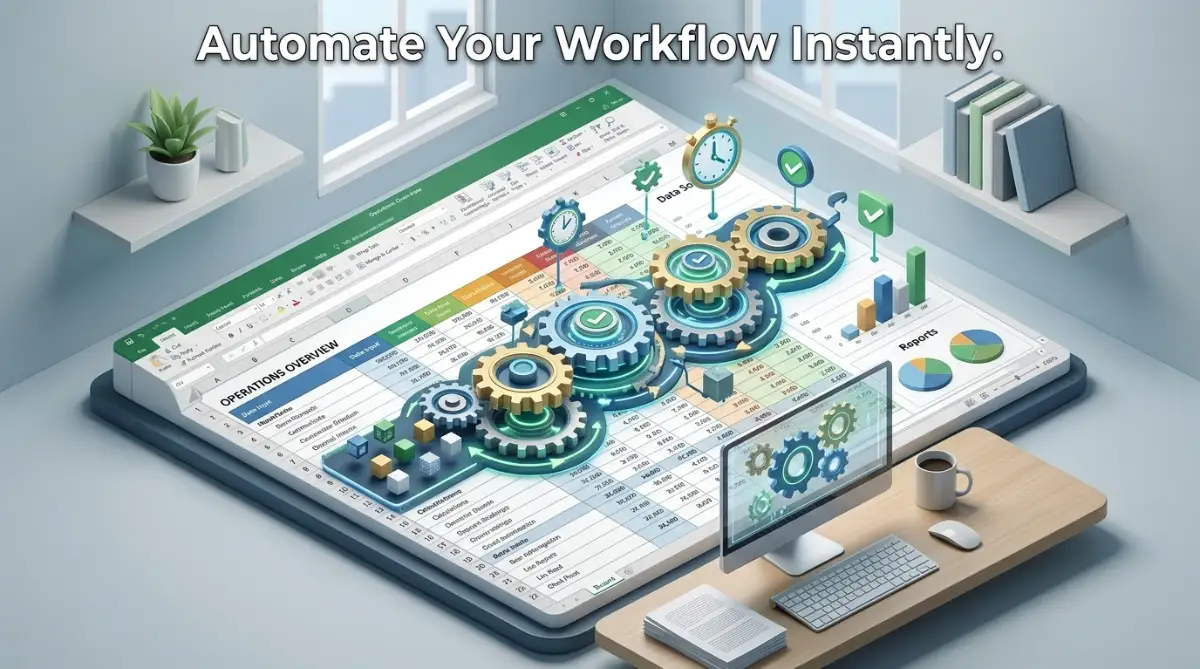
Automation is simply telling your computer: "When this happens, do that." You do not need to write code to explain this logic. You can use standard tools that connect your files together. Imagine a world where your data arrives in your inbox and updates your master report automatically. This is not magic; it is just smart system design. You are simply setting up a path for your information to travel without you having to carry it manually.
Mastering Triggers and Actions
To get started, you must understand the two main components of any automated process. The first is the Trigger. This is the event that starts the chain reaction. It could be a new row appearing in a sheet, a specific time of day, or even a new file saved in a folder. You have to be clear about what triggers your task. If you are not clear on the trigger, the automation will never start.
The second component is the Action. This is what you want the system to do once the trigger happens. Maybe you want to send an email, update a summary sheet, or calculate a new total. When you combine these two, you create a seamless loop that works while you focus on higher-value activities.
[Pro Tip: My Personal Realization]
I used to think that only "tech-savvy" people could use automation. I was wrong. My biggest mistake was waiting until I was perfect at using spreadsheets before trying to automate anything. I realized that the best way is to start with one tiny task—like auto-filling a date—and then expand from there. Once I saw that first success, my confidence grew, and I stopped fearing the settings menu.
Setting Up Your First Automated Loop
You should start by identifying your most annoying task. Is it updating your weekly sales sheet? Is it moving data from a contact form? Write down exactly what you do step-by-step. Do not skip any steps, no matter how small they seem. Once you have the list, look for ways to consolidate.
Identify your repetitive triggers:
- Time-based: Things you do every morning at 9:00 AM.
- Input-based: Things you do when a new file or row is added.
- Condition-based: Things you do only when a specific value changes.
The Power of Data Validation
One of the biggest reasons people have to fix spreadsheets manually is messy data. If your inputs are clean, your automations will run without errors. Use drop-down lists and strict formatting rules to ensure that every piece of data coming in follows the same format. This reduces the need for "cleaning" time, which is usually the most boring part of the process.
Why clean data matters:
- It prevents errors in calculations.
- It allows automations to recognize patterns easily.
- It saves you from having to check every single row.
Viewing Data as a Flow
Stop looking at your spreadsheet as a flat surface. Start seeing it as a river. The data flows in from one side, gets filtered and processed in the middle, and reaches your final report on the other side. Your job is to make sure the riverbed is clear. If you find a block, remove it. If the path is too long, find a shortcut.
You do not need to be a programmer to do this. You just need to be a careful observer of your own habits. Every time you find yourself doing the same sequence of clicks more than twice, stop. Ask yourself: "Can I make this happen automatically?"
[Boost Your Efficiency: Watch This Tutorial]
If you are wondering how to connect your data sources to your spreadsheet without any complex setup, this video covers the exact method I use to stay organized every single day. Watching this will help you visualize the flow we just discussed and give you a head start on building your first automated system.
Eliminating Bottlenecks in Your Daily Routine
Now that you understand the logic, let’s look at where most people fail. They try to automate everything at once. That is a trap. Instead, pick one specific process that takes you more than ten minutes a day. Focus all your energy on automating just that one thing.
Mapping Your Workflow
Before you change a single setting, draw your process on a piece of paper. Use boxes for tasks and arrows for the movement of data. This visual aid will help you spot where you are wasting time. You might find that you are moving data between three different places when you only need to move it to one.
Reducing Human Interaction
The goal of this guide is to minimize your time in the "driver's seat." The less you have to touch the spreadsheet, the more accurate it becomes. Focus on creating a system that updates itself while you are away from the desk. This is the definition of true productivity. You want a system that works for you, not one that you work for.
Troubleshooting Your Systems
Sometimes things do not go as planned. If an automation stops, do not panic. Check the trigger. Was the data formatted correctly? Did the file move to a different folder? Most issues are simple, and they usually come down to a small mismatch in the data. Treat your spreadsheet like a garden; it needs a little bit of tending occasionally to keep everything growing smoothly.
Building for Long-Term Success
You are building a system that will save you hundreds of hours over the next few years. That is a massive return on investment for a little bit of effort today. Keep your sheets organized, keep your labels clear, and always look for the simplest way to get the job done.
The beauty of this approach is that it scales with you. As your needs grow, your automated systems grow with you. You will move from simple task management to creating complex reports that update in real-time. All of this, without writing a single line of code. You are now the architect of your own efficiency, and that is a powerful place to be.
Remember, the goal is to make your work life lighter, not more complicated. If a process feels too complex, simplify it. There is always a way to make it easier. Keep exploring, keep testing, and most importantly, keep reclaiming your time for the things that truly matter to you. Your future self will thank you for the time you are saving today.
Advanced Methods to Scale Your Spreadsheet Efficiency
You have already taken the first step by identifying your repetitive tasks. Now, let’s talk about how to make these systems bulletproof so they run on autopilot for months without needing your attention. The secret is to stop treating your data like a static file and start treating it like a dynamic pipeline.
Utilizing Linked Data Sources for Real-Time Updates
One of the most effective ways to avoid manual work is to pull data directly from external sources. You can set up your sheets to automatically import information from public APIs or web feeds. For example, if you track stock prices or currency exchange rates, you don't need to type them in every morning. Using built-in functions, your spreadsheet can fetch the data for you as soon as you open it.
If you are curious about how to manage your digital environment better, it helps to start by managing hidden background processes on your computer, as a fast system makes everything else easier. A stable environment ensures that your automated tasks trigger without hardware-related delays.
The Power of Conditional Formatting as a Monitoring Tool
You can use conditional formatting to act as your "assistant" that highlights errors automatically. Set up rules so that if a data cell is empty or contains an incorrect value, it turns bright red. This way, you don't have to scan through thousands of rows to find a mistake. You can simply look for the color.
This approach is similar to keeping your online bank accounts safe by setting up alerts, where you only pay attention when something is wrong. By letting the software flag the problems, you save your mental energy for decision-making.
Maintaining Your Automated Ecosystem
Once your systems are running, you need a periodic "health check." Every month, take ten minutes to verify that your formulas are still pulling the right data. If a website changes its structure, your data import might break. Staying proactive prevents the "sudden panic" of a broken report right before a deadline.
Think of this like building a fail-safe emergency fund. You set the system up once, but you check on it occasionally to make sure the foundation is still solid. This small habit ensures you never have to scramble to fix a major mess later on.

The Hidden Traps That Sabotage Your Automation
Many people start with great enthusiasm but hit a wall because of common pitfalls. The most common mistake is over-complicating the setup. You do not need to link your spreadsheet to ten different apps to get a result. Start with one simple connection, prove it works, and only then add complexity.
The Risk of Fragile Links
Another frequent error is creating "hard-coded" paths that break the moment you move a folder or rename a file. Always use relative references if possible. If you must use a specific file, keep it in a permanent folder that never gets moved. A broken link can turn your time-saving machine into a giant source of frustration.
Ignoring Data Validation
When you don't restrict the type of data that enters your cells, you get "garbage in, garbage out." If someone enters "Monday" into a column meant for numbers, your entire calculation will fail. Use dropdown menus to force users to pick from valid options. This understanding of how deductibles and limits work is a great analogy; you need clear rules in place to handle unexpected situations effectively.
Overlooking Security and Access
When you automate, you might inadvertently give access to sensitive data to people who shouldn't see it. Always review your sharing settings before you connect your spreadsheet to third-party tools. For deeper insights on protecting your workflow, you might find it useful to check out how to fine-tune output quality to ensure your data is always presented clearly and securely.
Reclaiming Your Time for What Matters
Automating your spreadsheet tasks is not just about saving minutes; it is about reclaiming your freedom. When you no longer have to worry about manual data entry, you gain the clarity to focus on your long-term goals. Your daily work becomes a series of strategic moves rather than a grind of endless clicks.
A Path Toward Steady Growth
By simplifying your daily chores, you create space for better habits. If you are struggling to balance your professional tasks with your personal financial health, remember that student loan repayment and wealth planning are also about systems. Just like your spreadsheet, your life thrives when you put good systems in place.
I spent years doing things the hard way before I realized that my time was more valuable than my effort. Once I started letting my tools do the heavy lifting, I felt lighter and more creative. You can start this change today, even with just one small task. Take the first step, trust the process, and watch how quickly your work life transforms for the better.
Questions People Often Ask About Automation
Can I automate spreadsheets on my phone?
Yes, most modern cloud-based spreadsheet tools allow you to view and trigger basic automations from your mobile device. While setting up complex systems is easier on a desktop, you can monitor your results on the go.
What if my automated system stops working?
Don't worry; this is normal. Usually, the issue is a change in the data source or a moved file. Simply re-link the source and check if any folder paths have changed.
Do I need to be a math expert to automate?
Not at all. Automation relies on logic—"if this, then that"—rather than high-level mathematics. If you can follow a simple recipe, you can build a successful automated workflow.
How do I know which tasks are worth automating?
If you find yourself doing the exact same sequence of clicks more than two or three times a week, that is your signal. That task is a perfect candidate for automation.
Disclaimer: This content is for educational purposes only. I am not a financial advisor or a software engineer, and you should always test your automated systems on dummy data before applying them to critical financial or sensitive information. Please use these methods at your own risk and ensure you back up your files regularly.
****** THANK YOU *****