When My Personal Data Felt Like an Open Book
Ever get that eerie feeling your computer is listening to your dinner conversation? You aren't paranoid—you're just paying attention. When we click "Accept" on every default setup screen, we’re essentially handing over the keys to our digital front door. Let’s stop letting corporations treat your personal data like a free product and start taking back control, one setting at a time.
My peace of mind vanished during those weeks of discovery. I started worrying every time I typed a password or searched for something personal online. It wasn't just about the ads; it was about the fear of what else was being shared without my permission. This isn't just my story; it is a reality many of us face every day. We buy powerful, expensive machines, but we accidentally invite outsiders into our digital homes because of simple setup errors.
It turns a helpful tool into a source of constant anxiety. Many people I talk to feel this same heavy weight of being constantly tracked. They want to use technology to improve their lives, not to trade their personal secrets for it. If you have ever felt like your digital footprints are being followed a little too closely, you are definitely not alone.
Quick Wins for Your Privacy
- Default = Data Collection: Always choose "Custom" or "Manual" during setup.
- Audit Your Apps: If an app doesn't need your microphone or camera, flip the switch off immediately.
- Go Local: Use a local user account instead of linking a cloud identity to your OS.
- Update Awareness: Check your settings after every major OS update—companies often reset your privacy preferences.
The Hidden Costs of Trusting Default Configurations
Most modern systems are built to prioritize convenience over your personal boundaries. When you click "Next" repeatedly during an installation, you are often agreeing to data sharing that you do not need. These systems gather diagnostic data, location information, and usage patterns under the name of "improving your experience." While that sounds harmless, it slowly builds a profile of who you are, what you like, and where you go.
Think of it like leaving your front door unlocked because you trust your neighborhood. It might be fine for a while, but it is still a risk you do not need to take. By leaving these defaults, you are essentially telling the OS developer that they can use your behavior as a product. The reality is that your usage habits are valuable, and companies work hard to make sure they get access to them.
Why Your Privacy Settings Are Sometimes Reset
After a major system update, I sometimes notice that certain “helpful” features or settings have changed. I used to ignore it, assuming everything would stay the way I had configured it.
Over time, I realized that it's worth checking my privacy settings after major updates. A setting that was previously disabled may have changed, or a new option may have been added. It only takes a few minutes to review the important ones.
A quick privacy check after an update can help you catch these changes before they become something you overlook.
Step-by-Step Approach to Taking Back Control
You do not need to be a software engineer to regain your privacy. It starts with a simple mindset shift: treat every "Yes" button with suspicion. If a feature asks to send data to "help us improve," your first instinct should be to say "No." Most of the time, the software will work perfectly fine without that extra stream of personal info.
Audit Your Account Syncing Features
Modern operating systems want to sync everything to the cloud. While this is helpful for switching between devices, it also moves your sensitive data onto servers you do not control. Go into your system settings and look for "Cloud Services" or "Account Sync." Turn off anything that does not serve a direct purpose for you.
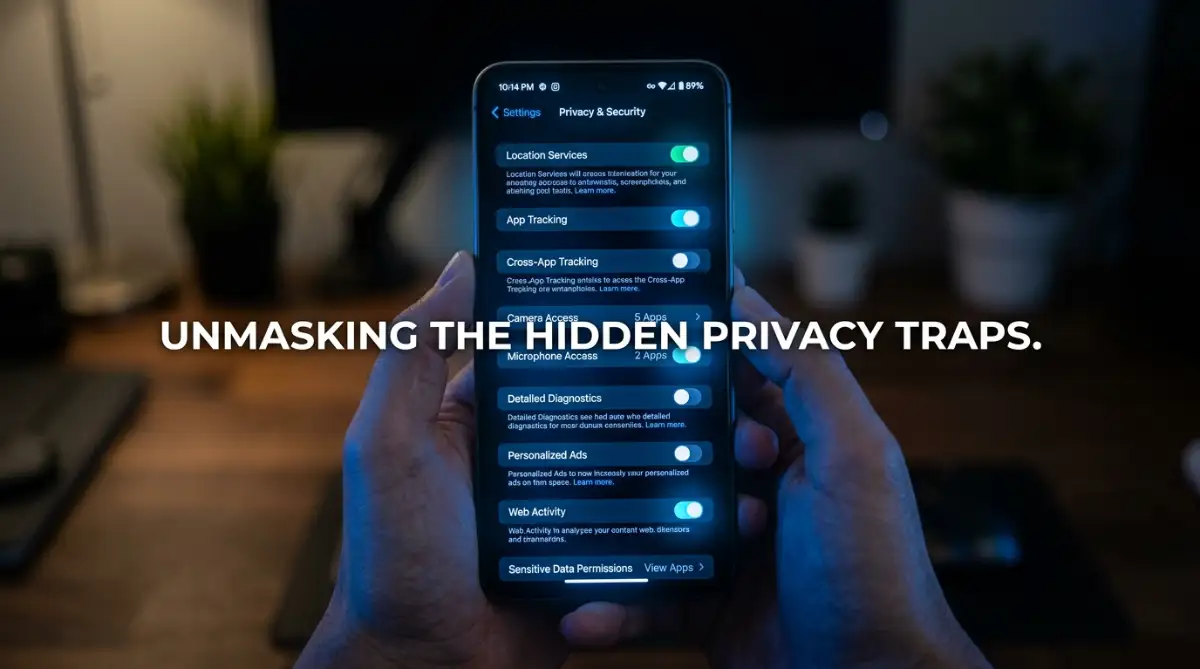
- Disable Activity Tracking: This is usually hidden in privacy or general settings.
- Limit Diagnostic Data: Look for "Feedback and Diagnostics" and set it to the minimum required level.
- Review App Permissions: Check which apps have access to your camera, microphone, and location.
The Power of Local Accounts
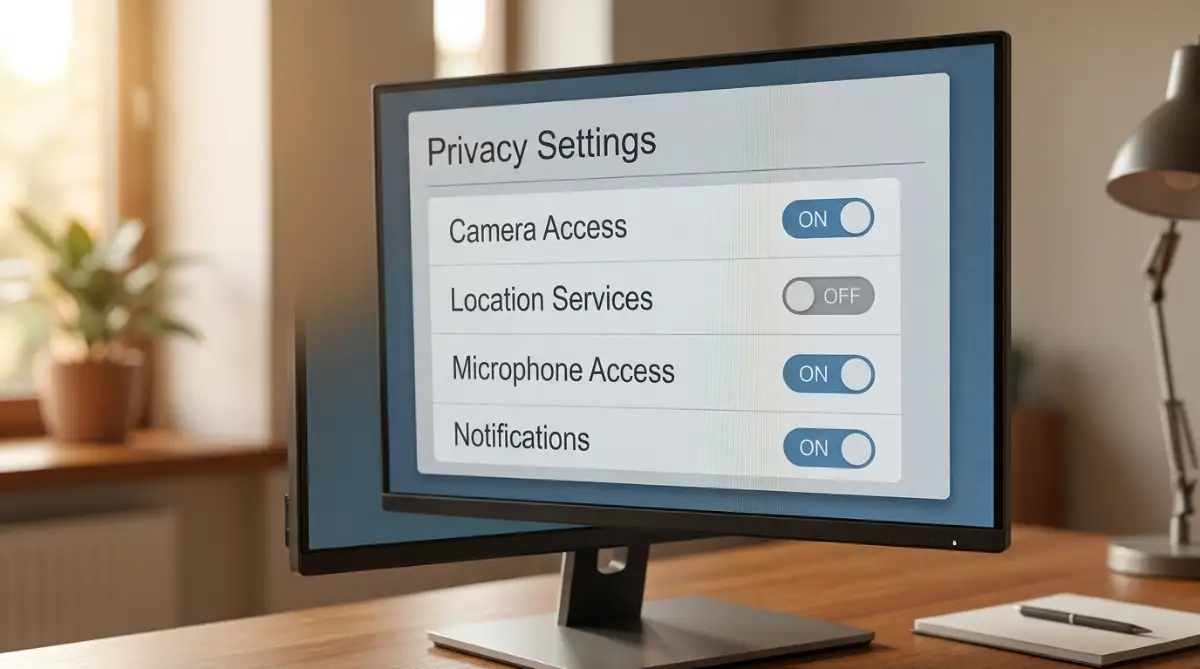
One of my biggest personal shifts was moving away from mandatory online accounts during setup. Most systems push you to sign in with a cloud-linked account immediately. I found that by creating a local user account, I keep more of my personal data physically on my machine. It makes the system feel faster and much more private.
[Here is a short guide on how to better manage your system settings for maximum security. Watching this might change the way you look at your computer forever.]
Pro Tip: My "Privacy Weekend" Habit
I used to be overwhelmed by the constant need to update settings. Now, I have a simple habit. On the first Saturday of every month, I spend ten minutes just clicking through my settings menu to ensure nothing has changed. I discovered once that a specific update had re-enabled location services for all my apps! I caught it early because I made it a simple, small routine.
Tackling Data Collection Myths vs Reality
- The Myth: Turning off telemetry will crash my PC.
- The Reality: Telemetry is just for the company’s analytics, not your PC's health. Turning it off actually saves CPU cycles and RAM.
- The Myth: I need a Microsoft/Google account to use my computer properly.
- The Reality: A local account keeps your profile data physically on your machine, not on their servers.
There is a common belief that disabling features will make your computer stop working correctly. I held onto this myth for a long time. I thought that by turning off cloud features, my apps would crash or stop syncing files. The reality is that almost all modern software is built to function perfectly without the telemetry and tracking bits turned on.
The Truth About System Telemetry
Telemetry is just a fancy word for saying the computer is "phoning home" with information. It reports what buttons you click, how long you stare at a window, and what errors occur. You can block this without breaking the core engine of your OS. If you are worried about security, think about it this way: the less data you send out, the less data there is for anyone to steal or misuse.
Analyzing Your App Permissions
Many applications ask for permissions they simply do not need. Does a simple calculator app need access to your contacts? Absolutely not. You should manually inspect every single app installed on your system. If an app tries to access something irrelevant, deny it immediately. You will find that these apps continue to work perfectly fine without your private data.
Why Regular Maintenance Matters More Than You Think
Digital privacy is not a one-time project. It is more like tending to a garden. You cannot just clear the weeds once and expect them never to return. Because technology changes and updates happen, your settings can shift underneath you. Staying vigilant is the only way to ensure your digital boundaries stay strong.
Simplifying Your Digital Footprint
Try to minimize the number of apps that connect to your personal identity. The more accounts you link to your computer, the more points of failure you have. I try to keep my primary OS account as "clean" as possible. When I need to use a specific, questionable service, I often do it through a separate, isolated browser or a restricted user account.
How to Stay Informed Without Feeling Overwhelmed
You do not need to read every privacy policy in existence. Instead, pay attention to the main toggles in your OS settings menu. Most companies put the "big" privacy settings right in front. If you see a new feature launched in an update, look up what it does before accepting the terms. A few minutes of research can save you from months of data exposure.
Embracing a New Level of Digital Awareness
Taking control of your privacy settings is empowering. When I first did it, I felt a sense of relief. I wasn't just another data point for a large corporation anymore; I was a user with boundaries. It felt like I had finally locked the door to my own house.
The Role of Personal Responsibility
At the end of the day, you are the final line of defense for your data. Software developers have their own incentives, and those often align with data collection. By being the one who makes the decisions, you ensure your technology works for you, not against you. Start small, check your settings today, and enjoy the peace of mind that comes with knowing your information is yours alone.
Final Thoughts on Secure Settings
Privacy is not about having something to hide; it is about having something to protect. Your thoughts, your habits, and your personal data are yours. You deserve to use your device without feeling like your privacy is being traded away. Stay proactive, stay curious, and always keep your settings aligned with your personal values. You will find that a secure system is not just safer, but it also feels a lot more personal.
Taking Your Digital Privacy to the Next Level
Once you have mastered the basics, it is time to look at the hidden layers of your system. Most people stop after checking their main settings, but the deeper architecture holds more secrets. Think of this as moving from basic door locks to a high-end home security system. You want to control exactly what data leaves your device and when.
Managing Hidden Background Processes
Your computer often runs tasks that you never explicitly started. Some of these are for system maintenance, but many are designed to log your behavior. You can learn more about how to fix Windows lag by managing hidden background processes to gain speed while simultaneously cutting off unnecessary telemetry. A faster machine is often a more private one.
The Art of Firewall and Network Control
Most users forget that their internet connection is the primary path for data leaks. Your OS might allow apps to "call home" whenever they want. Use a simple, native firewall tool to block outgoing traffic for apps that do not need to be online. If a text editor is trying to connect to a remote server, that is a red flag you should investigate.
Securing Your Developer Environment
Many of us accidentally leave tools open that could be exploited. If you are someone who tinkers with how to access Android developer mode to speed up your phone instantly, make sure you turn off those options when you are finished. Leaving debug ports open is like leaving a window cracked in a secure room. Always double-check your settings after you finish a project.
Why Less Integration Means More Security
We often link our social media, email, and cloud storage to our OS for convenience. This is a massive risk if your main account is ever compromised. Try to keep your system account separate from your primary email identity where possible. According to guidelines from the Electronic Frontier Foundation, minimizing the connections between your accounts is a top-tier strategy for digital safety.
Mastering Your Digital Boundaries
Consistency is the real secret to staying safe. I make it a habit to audit my installed software every few months. If I have not used an app in weeks, I delete it completely. This simple act of digital decluttering removes potential vulnerabilities that you might otherwise ignore.

Traps That Catch Even Experienced Users
It is easy to fall into the trap of over-confidence. I once thought that because I used an encrypted browser, I was safe from everything. I was wrong. The trap lies in the small, seemingly harmless boxes we check during app installations.
The Illusion of "Helpful" Defaults
When you install a new tool, it might ask for "extended data permissions." It often frames this as a way to make your life easier or suggest better features. Do not be fooled by this language. More often than not, it is simply a clever way to expand the company’s data collection reach.
Relying Too Heavily on Single Solutions
Another big mistake is relying on one security app to protect you from everything. No tool is perfect. If you have been granting unnecessary permissions to newly installed Android apps, you are creating gaps that even the best antivirus cannot plug. You must pair your software tools with your own careful, manual habits.
Ignoring System-Wide Sync Alerts
We often click "Sync" because we want our photos on every device. But what about the other files that get swept up in that sync? I have seen people accidentally upload private tax documents to the cloud because they did not check what folders were selected. Always look at the fine print of your cloud settings before you hit the button.
Your Path to a Secure Digital Future
Taking control of your privacy is a journey, not a destination. It is about making small, deliberate choices every time you touch your device. When you decide to turn off tracking, deny a permission, or use a local account, you are reclaiming your personal space.
Building Your Privacy Routine
Start by dedicating a small window of time to review your security status. If you are ever worried about your broader financial security, you might also find it helpful to look into digital fortress secrets for keeping bank accounts safe. Security is a skill that applies to your entire online life. You will soon find that it becomes second nature.
Why You Should Start Today
Every minute you wait is another minute your data is being gathered. I remember when I first took these steps, I felt a weight lift off my shoulders. It was a sense of ownership that I hadn't felt in a long time. You have the power to change this right now. Start by checking one permission, deleting one unnecessary app, or tightening one sync setting.
Common Questions About Digital Privacy
Is it really necessary to turn off every single privacy setting?
Not every single one, but you should turn off anything that isn't required for the app to function. Focus on permissions like location, microphone, and contacts first.
Does blocking data collection make my computer slower?
Actually, it often makes your computer faster. When you stop background processes from "phoning home," you free up system resources for the tasks you actually care about.
Should I be worried if an app says it needs permissions to work?
Sometimes an app needs access to function, but ask yourself if it makes sense. A photo editor needs access to your gallery, but a notes app does not need access to your microphone.
How do I know if my privacy settings have been reset?
The best way is to do a quick check after any major system update. Updates can sometimes flip switches back to their default "on" positions, so stay observant.
Can I really stay private while using modern technology?
You can achieve a high level of privacy by being mindful of your settings. While total anonymity is difficult, you can certainly make your personal data much harder to collect.
Disclaimer: This blog post is for informational purposes only. While I strive to provide accurate and helpful advice, I am not a cybersecurity professional. Always perform your own research and exercise caution when modifying system settings. I cannot be held responsible for any loss of functionality or data that may occur from changing these configurations.