
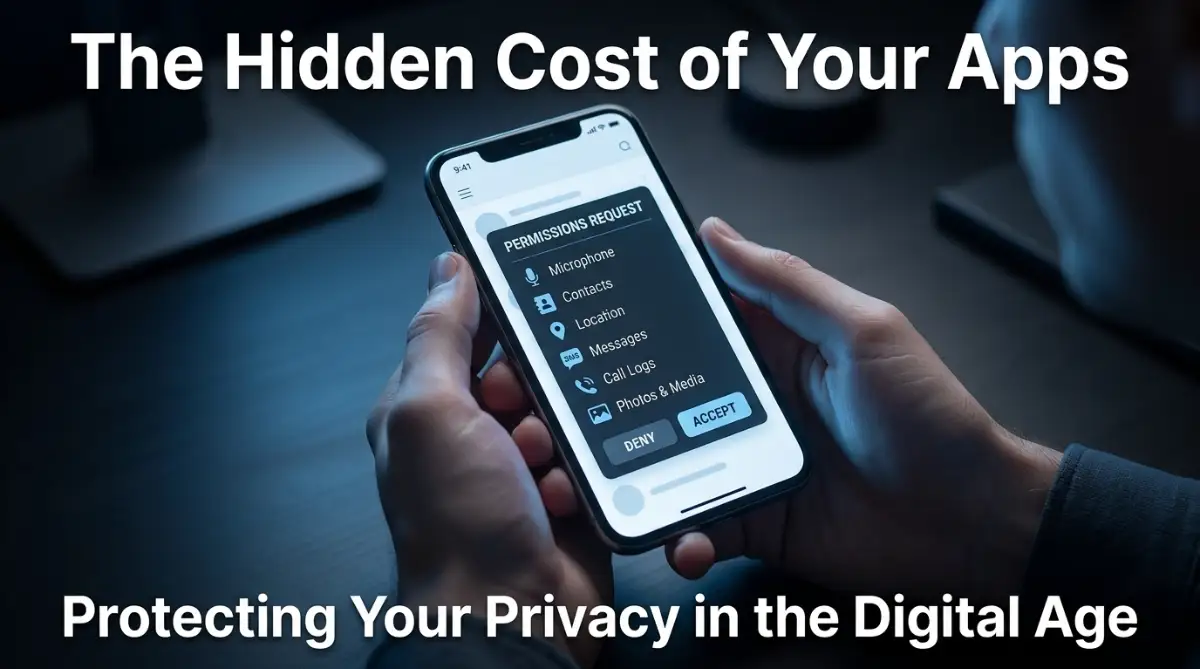
That Moment I Realized My Phone Was Watching Me
We’ve all been there: you download a free app, tap "Allow" on every permission request just to get started, and forget about it. Two days later, you’re seeing ads for things you only whispered about in private. Your phone isn't haunted; it’s being used as a data-collection tool. Let’s audit those permissions and reclaim your privacy before your personal habits are sold to the highest bidder.
Two days later, I was talking to a friend about a specific pair of hiking boots I needed to buy. Later that evening, I opened my phone to scroll through my feed, and there they were—advertisements for those exact boots. My heart sank, and I felt a cold chill run down my spine. I hadn't searched for the boots on Google, yet here they were, staring back at me.
I immediately went into my settings and looked at the permissions I had given that app. It had access to my microphone, my location, my contacts, and my storage. I felt completely violated. I had traded my personal privacy for a few filtered photos, and I didn't even realize I was making the deal.
That sinking feeling is something you have probably experienced too. Maybe it was a game that asked for your camera access or a calculator app that wanted your contacts. It makes you feel like your personal space is being invaded, and honestly, it is. The anxiety of not knowing what these apps are doing with your private information can really ruin your day.
You aren't just losing data; you are losing your peace of mind. Every time an app tracks your location or listens to your conversations, it chip away at your sense of security. It feels like you are living in a glass house where everyone is watching, and you have no idea how to pull the curtains shut. Let's change that right now.
The Digital Privacy Cheat Sheet
Don't have time to read everything? Secure your phone in 5 minutes:
- Audit Monthly: Set a calendar reminder to check your 'App Management' settings.
- Restrict Location: Change all location settings to "While Using" instead of "Always."
- Delete Junk: If you haven't opened an app in 30 days, delete it—it's likely tracking you in the background.
- Trust Your Gut: If a utility app asks for your contact list, it is almost certainly a privacy risk. Delete it.
Understanding the Hidden Game of Permission Requests
When you install a new application, your phone acts as a gatekeeper. It asks you to grant specific permissions so the app can function. The problem is that many apps ask for much more than they actually need to do their job.
Why Do They Want Your Data?
In many cases, the answer is simple: money. Your data is incredibly valuable to advertisers, brokers, and developers who want to build a profile of who you are. By knowing where you go, who you know, and what you talk about, they can show you ads that you are more likely to click.
This is often fueled by complex algorithms that learn your habits. If you ever wonder how these apps process your behavior, reading about how neural networks actually work can give you a better idea of the backend technology. These systems are designed to predict your next move, and your personal data is the fuel that keeps them running.
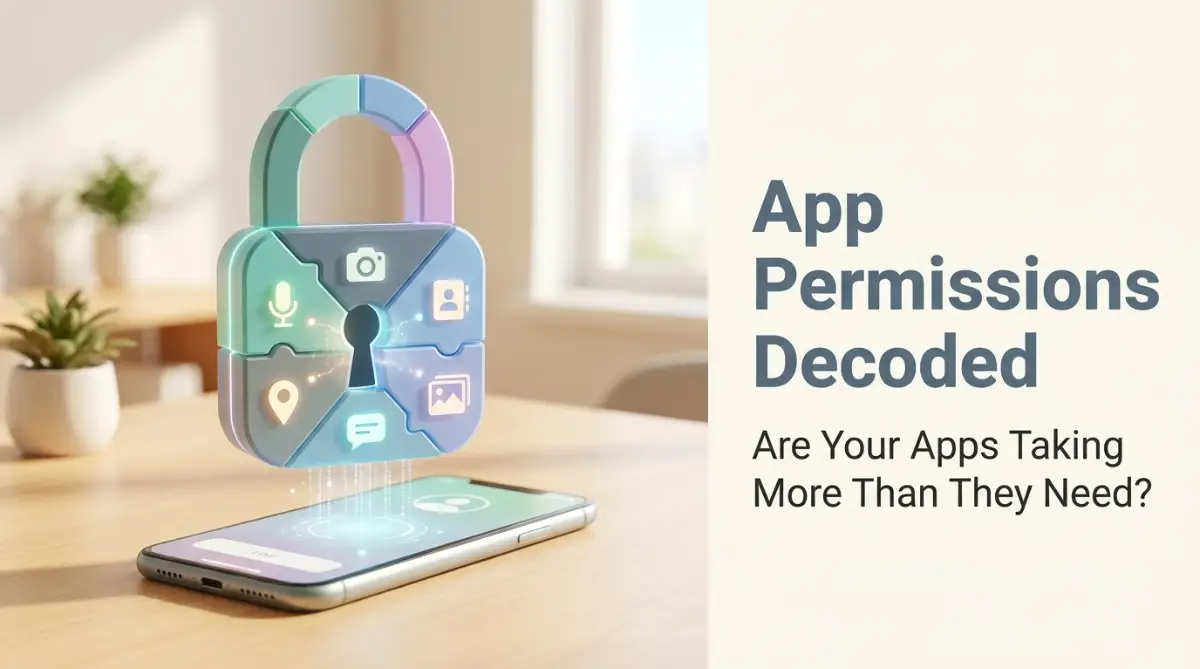
The Myth of "Need to Know"
You might think that if an app asks for a permission, it must need it to function. This is a common misconception. Many flashlight apps, for example, have asked for location and contact access in the past.
A flashlight only needs access to your camera's LED light. If it asks for anything else, it is a massive red flag. The reality is that app developers often bundle permissions together, hoping you won't notice the extra requests. You have to be the one to spot the patterns.
The Dangers of Permission Bundling
Think of it like walking into a bank to open an account. If the teller suddenly asked for your house keys, social media passwords, and permission to listen to your phone calls, you would probably walk away. Yet, many people accept similar levels of access from apps without stopping to ask whether those permissions are actually necessary.
The problem becomes more serious when an app requests several sensitive permissions at once. Depending on the permissions granted and how the app is designed, it may be able to access information or device features that are not necessary for its main purpose.
Excessive or unnecessary permissions can create privacy and security risks. Some permissions may also allow certain app activities to continue in the background, which can contribute to battery or data usage. More importantly, granting broad access can expose personal information if the app mishandles data, has weak security, or is compromised.
That is why it is worth checking what an app is asking to access—and whether it actually needs that access before tapping “Allow.”
Taking Control: Your Personal Permission Audit
You don't need to be a tech genius to secure your phone. You just need to be a little bit skeptical and a lot more careful. Here is how you can start taking back your privacy today.
Step 1: Review Your Current Permissions
Most people never check what they have already granted. You should make it a habit to go into your phone's settings once a month. Look for the "Apps" or "App Management" section.
Check each app individually. Look at what they have access to. If you see a game that has access to your microphone, turn it off. If a calculator has access to your location, revoke it.
Step 2: The "Need-Based" Test
The "One-Second" Privacy Check:
When an app asks for access, answer these 3 questions instantly:
- Does the app need this to function? (If it's a flashlight, why does it want your contacts?)
- Is it temporary? (Set location to "Only while using").
- Is the developer real? (Check the store page; if it's a random name with no website, remove it).
Before you hit "Allow" on any new app, ask yourself one question: "Does this app really need this permission to work?" If the answer is no, say "Deny."
If the app refuses to run without that permission, you have a decision to make. You can either accept the risk or delete the app. There are almost always alternatives available that don't require your entire digital life.
Step 3: Configure Your System Settings
Your phone's operating system has powerful tools to help you stay safe. You should never leave these settings at their default values. For a deep dive into how to secure your device at the system level, check out critical mistakes to avoid when configuring privacy settings on modern operating systems. This will help you lock down the foundation of your phone, not just the individual apps.
Pro Tip: My Realization
I used to think that "System Apps" or apps that came pre-installed on my phone were perfectly safe. I was wrong. I once realized a pre-installed weather app was tracking my location 24/7, even when I wasn't using it. My advice? Audit your pre-installed apps just as strictly as the ones you download yourself. Nothing is exempt from your review.
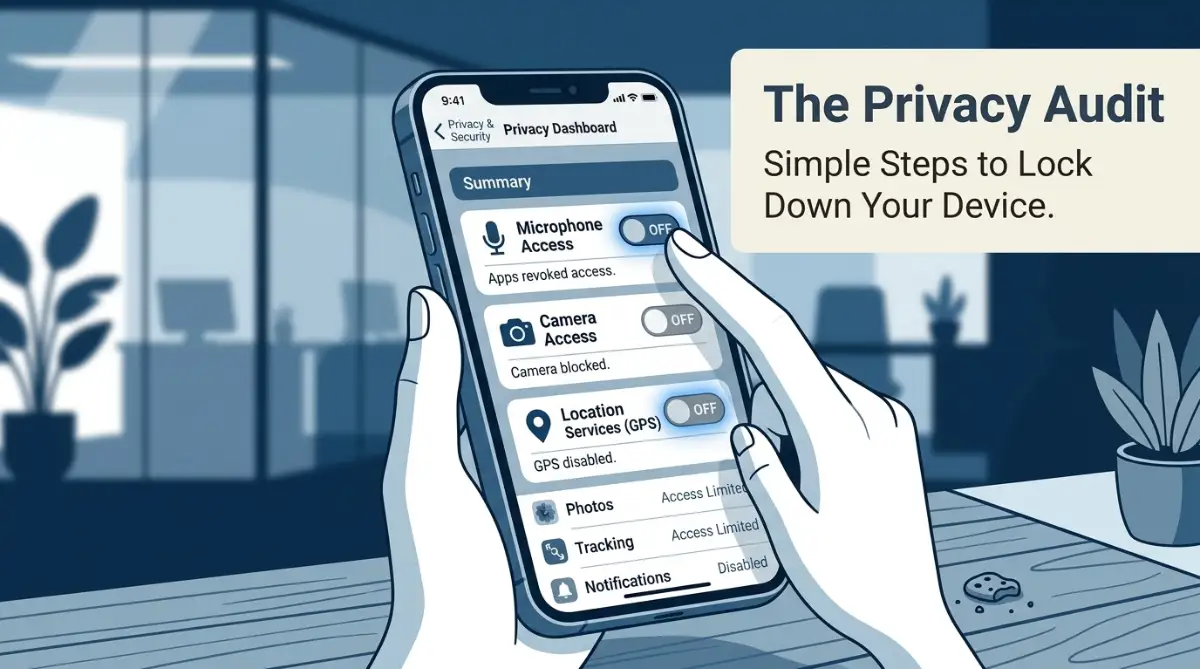
Why You Should Watch This
Sometimes, seeing the interface and how these menus actually look can help you understand the process better. It is one thing to read about it, but it is another to see it in action.
This quick video guide will show you exactly where to find those hidden settings so you can manage your permissions in seconds:
Myth vs. Reality: Common Permission Misconceptions
It is easy to get confused by all the tech jargon. Let's clear up the air with some common myths.
Why Your Battery Drains Faster Than You Think

Have you ever wondered why your phone battery dies by mid-afternoon? While screen brightness and usage play a role, background activity is a major culprit. Apps with excessive permissions often run constantly in the background.
They are busy sending your location data, uploading contact lists, or checking your microphone status. This burns through your CPU and your battery. By limiting these permissions, you aren't just protecting your privacy; you are likely extending the life of your phone.
The Danger of "Scope Creep"
Sometimes an app starts out honest. It is a simple game with no ads and no permission requests. Then, an update comes along.
The developer changes the terms, adds new tracking features, and suddenly requests access to your photos. Always pay attention to update alerts. If an existing app suddenly asks for new, strange permissions, be suspicious. It is perfectly okay to remove an app if its new privacy terms don't align with your values.
How to Protect Your Identity
When you grant access to your contacts, you aren't just exposing yourself. You are exposing your friends, family, and colleagues. If that app gets hacked or decides to sell your contact list, your entire network becomes a target for spam and scams.
Think of permissions as a social contract. You have a responsibility to protect the people whose data you hold in your phone. Keeping your permissions tight is a way of being a better digital friend to everyone you know.
Creating a Sustainable Security Habit
You don't need to be paranoid, but you do need to be present. Make it a game or a Sunday ritual. Set a reminder on your calendar for the first Sunday of every month.
Call it your "Privacy Cleanup." Spend ten minutes going through your apps and trimming the fat. It feels great to know that your data is staying on your device where it belongs.
Wrapping Up: Your Phone, Your Rules
At the end of the day, your phone is a personal device. You purchased it, you pay for the data, and you own the information on it. You have every right to decide who gets to see that information.
Don't let developers intimidate you into giving up your privacy. If they want your business, they should respect your boundaries. Stay informed, stay skeptical, and keep your permissions in check.
Your personal information is your most valuable asset in the digital age. Treat it with the care it deserves. By taking these small, consistent steps, you are building a much safer digital life for yourself and everyone in your circle.
Frequently Asked Questions
Is it safe to grant location access to a map app?
Yes, for navigation apps, location access is necessary for the app to function. However, always check if you can set it to "Only while using the app" rather than "Always allow."
What if an app stops working after I deny a permission?
That is your choice to make. If the app is essential, you might choose to grant the permission. If it is just a game or a non-essential tool, delete it and find a better alternative that respects your privacy.
Do I really need to check my permissions every month?
It is a good idea. Developers update apps frequently, and sometimes those updates include new tracking behaviors. A quick monthly check ensures nothing has changed without your knowledge.
Can I block all permissions for every app?
You could, but your phone would become very difficult to use. Camera apps need camera access, and maps need location. The goal is to grant only what is necessary, not to disable your phone completely.
How do I know if an app has "phoned home" with my data?
It is very hard to know for sure. That is why prevention is better than detection. By limiting permissions from the start, you stop the data from leaving your device in the first place.
Going Beyond the Basics: Mastering Your Device Security
You have started the process of cleaning up your apps, but there is always another layer to consider. If you really want to lock down your digital life, you need to think like a security expert. It is not just about what you allow today, but how you manage your device behavior in the long run.
One of the most effective ways to stay safe is by using Privacy-Focused Stores. While the main app store is convenient, it can be crowded with apps that have questionable data practices. Look for open-source app stores that vet applications based on privacy rather than just functionality.
If an app is open-source, you can often see the code behind it. This means the community has verified that the app isn't doing anything sneaky with your personal information. It is a fantastic way to ensure your tools serve you, not the other way around.
Another step is to use your phone's built-in "App Usage" dashboards. Most modern operating systems allow you to see exactly which apps have been active in the background. If you see an app that you haven't opened in weeks still using data or location services, get rid of it.
You should also look into Permission Managers or built-in settings that allow you to set permissions to "Only while using the app." This is a game-changer. It means the app gets the data it needs to perform its task, but it loses that access the second you close it.
This simple setting change effectively cuts off 90% of the tracking potential that most apps rely on. It is a small step, but it builds a massive wall against unwanted surveillance. You can learn more about why these settings are so important by reading about why you should stop granting unnecessary permissions to newly installed android apps.
Remember to also check your Account Sign-in methods. Many of us use "Sign in with Google" or "Sign in with Facebook" because it is fast. However, every time you do this, you are creating a bridge between your main identity and that new, untrusted app.
When you link your accounts, you are essentially handing over a key to your digital home. Instead, try to use a dedicated email address for new, temporary apps. If they eventually prove to be spammy, you haven't compromised your main account.
If you find yourself constantly struggling with apps that seem to act weirdly, you might also want to look at how to access android developer mode to speed up your phone instantly. While that guide is about performance, it gives you deeper access to your system logs, which can help you see if certain apps are causing excessive lag or draining resources.
Don't forget about your browser, too. Sometimes the tracking happens through the mobile web, not just apps. You can compare how your browser handles data by seeing are your chrome extensions spying here is how to protect your data. The tracking methods they use are almost identical to what malicious apps use.
Your ultimate goal should be data minimization. Ask yourself if you truly need that third photo editing app or that second weather tracker. The fewer apps you have on your phone, the smaller your "attack surface" becomes.
When you do install something, make it a habit to check the "Data Safety" section on the app's store page. Major platforms now require developers to disclose what data they collect and if they share it with third parties. This is the closest thing we have to a nutrition label for software.
Finally, think about your network environment. Even if your apps are secure, your connection might be the weak link. To keep your home and mobile traffic private, you can read the home network security guide to protect your privacy at home. Security is a holistic approach, not just a setting you flip once.
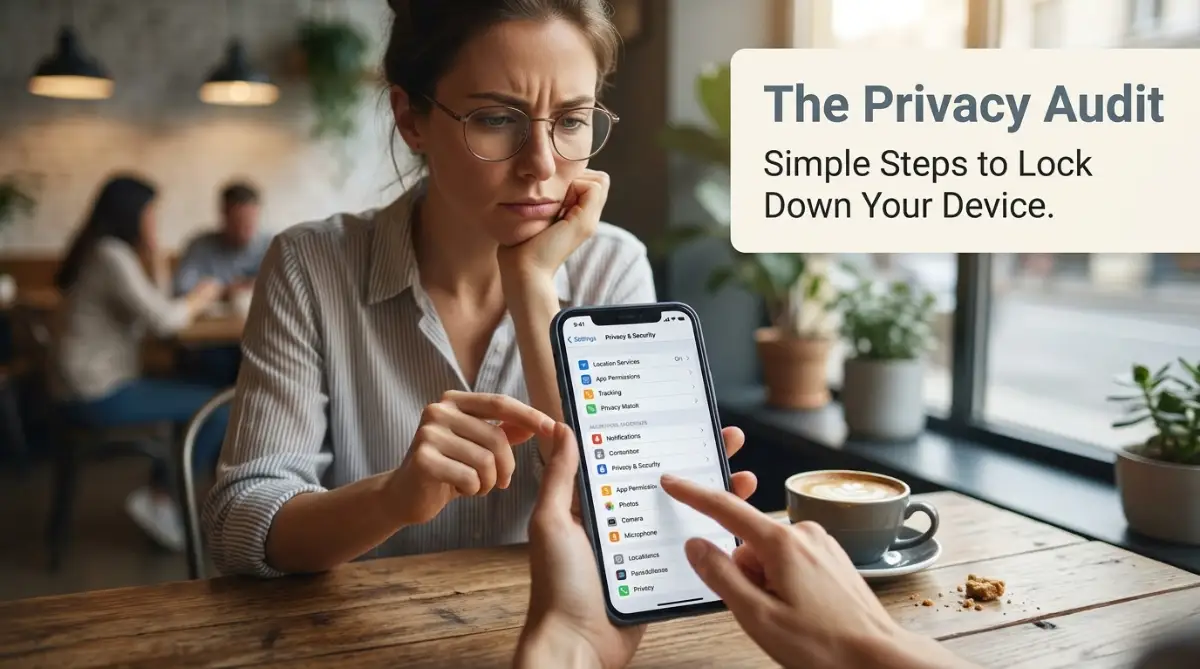
The Common Pitfalls That Leave You Exposed
We all want to believe that developers have our best interests at heart, but that is rarely the case. When you ignore the warning signs, you leave the door wide open for your personal information to be harvested.
The Danger of "Convenience"
The biggest trap is choosing convenience over security. When an app asks for "All Files Access" because it claims it needs to "organize your photos," stop. That is a massive red flag.
Most apps don't need access to your entire file system to edit one photo. When you grant that permission, you are allowing them to scan your tax documents, your medical records, and your private identification photos. Never trade your total privacy for a minor convenience.
Ignoring the "Accessibility Services" Trap
This is perhaps the most dangerous permission of all. Some apps, especially those that claim to "clean" your phone or "boost" your battery, will ask for "Accessibility Services."
This permission is intended for users who need help navigating their phone, but malicious apps use it to literally see your screen and interact with it. They can read your passwords, your bank balance, and your messages. If an app you don't fully trust asks for this, deny it immediately.
Falling for the "One-Tap" Login
We discussed account linking, but the pitfall here is doing it without reading the prompt. Sometimes, the popup says, "This app will be able to see your email address, your contacts, and your gender."
We click "Continue" because we want the app to open. By doing so, you have just handed over your demographic data for free. It is much better to take the extra ten seconds to create a unique, burner account for the app.
The "I'll Fix It Later" Syndrome
How many times have you clicked "Allow" and told yourself, "I'll go back and change it later"? You never do. We are busy, we get distracted, and that permission stays active for months or even years.
If you are currently struggling to manage your various settings, you should revisit critical mistakes to avoid when configuring privacy settings on modern operating system. Don't leave these loose ends dangling, as they are how your data leaks out slowly over time.
Relying on Outdated Apps
If an app hasn't been updated by the developer in over a year, delete it. Older apps often use outdated security protocols that are easy for hackers to exploit. A lack of updates usually means the developer has abandoned the project, and it no longer complies with modern privacy standards as outlined by Google's developer policies.
Taking Ownership of Your Digital Presence
You have the power to stop being a data source and start being a data owner. It takes time to audit your phone, but the reward is a device that actually respects your privacy. Every time you deny a suspicious request, you are making the internet a slightly better place.
I remember when I first started doing this. It was tedious to go through every app, and I felt like I was being paranoid. But then I noticed my phone ran faster, my battery lasted longer, and I stopped getting weird, targeted ads about things I had only just whispered about.
It was a small victory, but it felt great. You can have that same experience. Start with one app tonight. Just one. Then do another tomorrow. You don't have to fix your entire digital life in a single afternoon.
The path to privacy is a marathon, not a sprint. Consistency is your best friend here. Keep asking questions, keep checking your permissions, and never let an app bully you into giving up access you aren't comfortable with.
I am confident that once you see how much control you can regain, you will never go back to "blindly accepting" again. My advice is to trust your gut. If an app feels greedy, it probably is. Protect your data like it is cash, because in this day and age, that is exactly what it is.
Common Questions About App Permissions
What is the most dangerous permission an app can ask for?
Accessibility